Chat
Summary
Chat allows you to interact with both the platform and WordPress sites using a custom AI chatbot.
The goal of HonestHosting’s Chat implementation is:
- We give AI situational awareness and safe execution power on every WordPress site
- Every site exposes its own AI-native API, generated from its actual WordPress reality
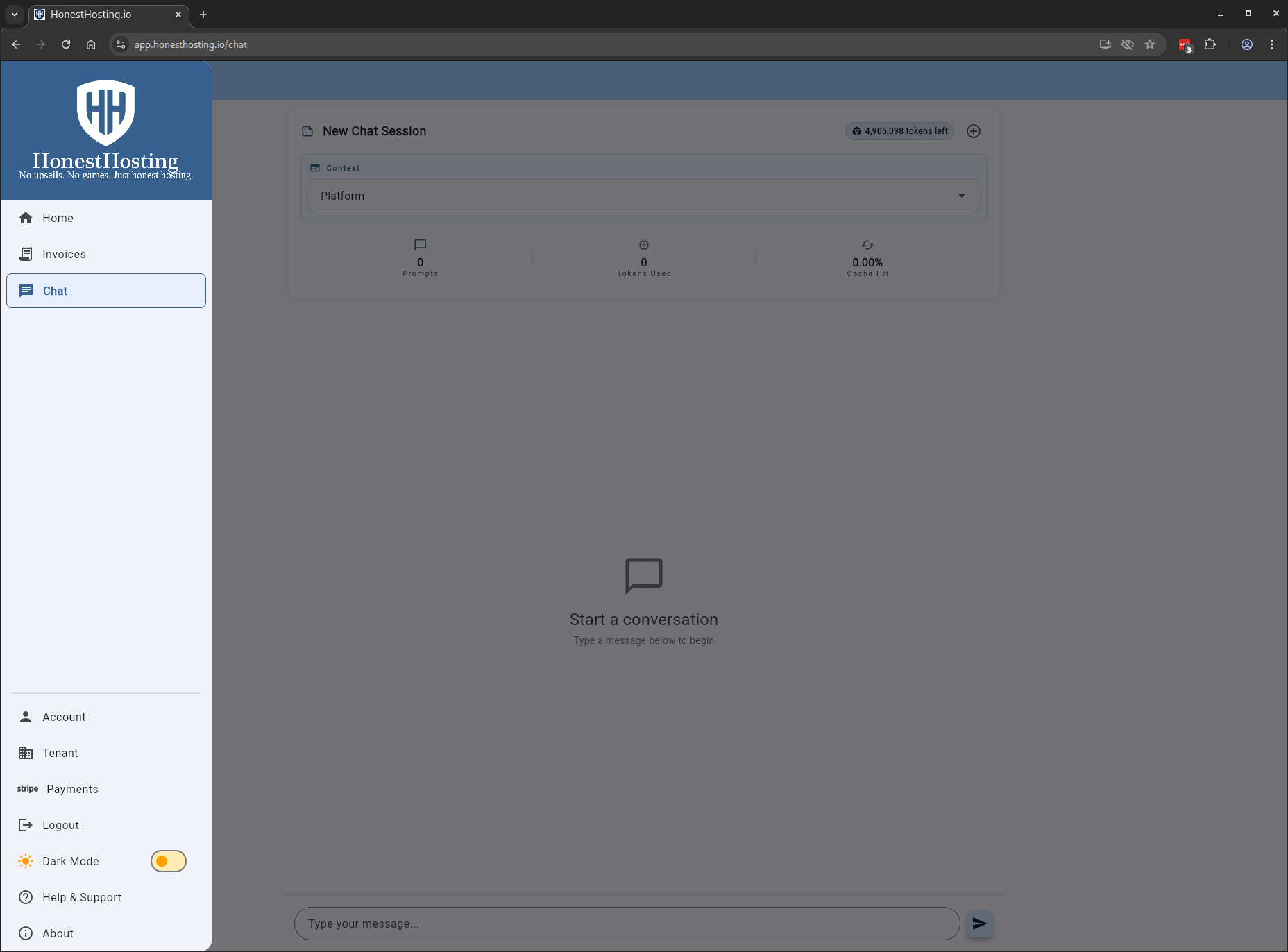
New Chat
When in a chat session, you can select the context: Platform, or a specific WordPress Site >= 6.8.0.
When a given Site context is selected, the service will automatically discover abilities-api registrations in the WordPress instance, and exposes them as MCP
Tool calls. The chat and agentic workflow will work with ANY plugin, as long as it registers abilities via the abilities-api.
Platform Context
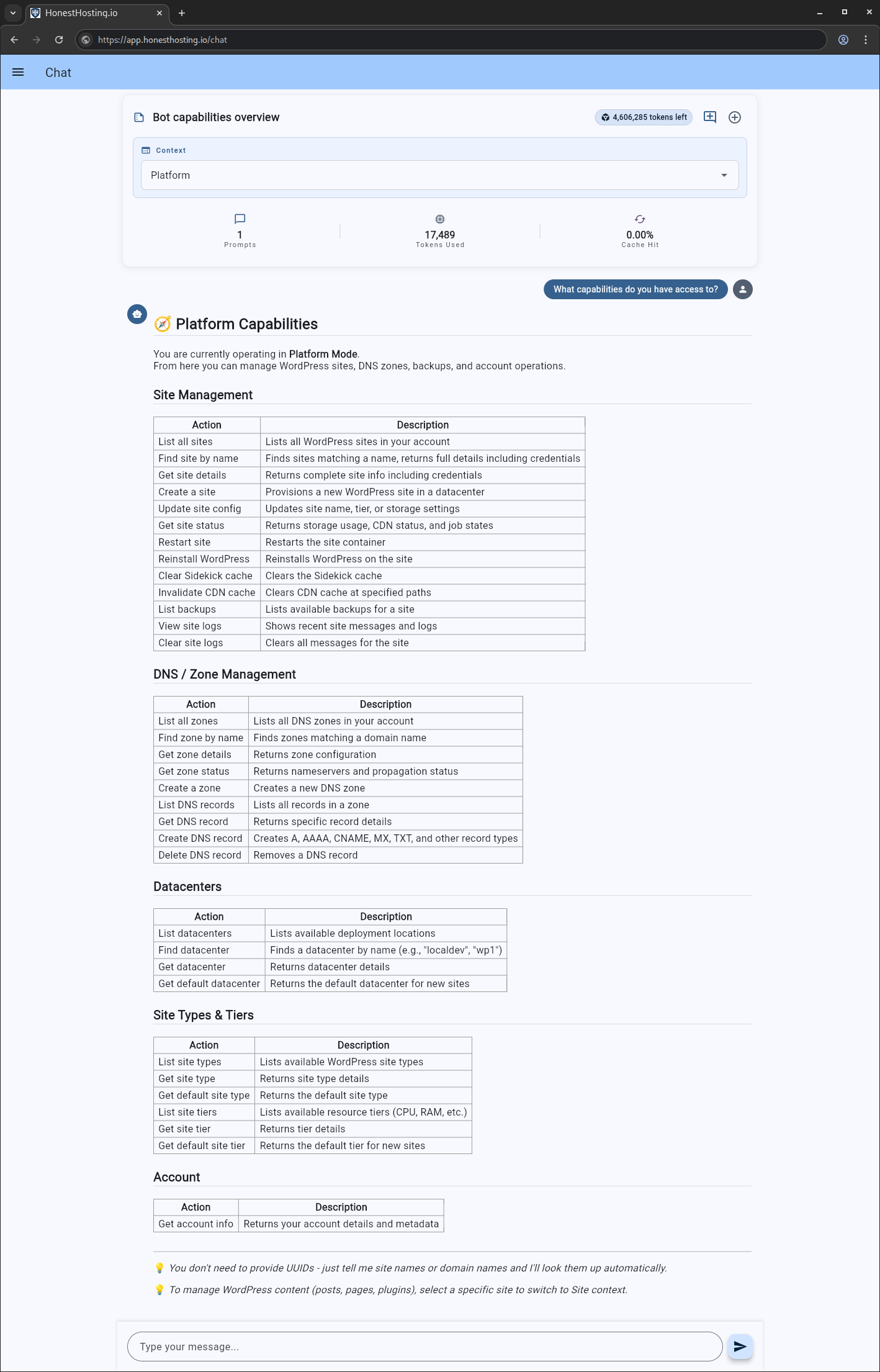
The platform context allows you to perform basic operations in the context of the HonstHosting.io platform. For example, select the Platform context, and ask
“What capabilities do you have access to?”:
As HonestHosting.io improves the chatbot, the list of capabilities may change and improve over time. This is an example ONLY–your response(s) may be different!
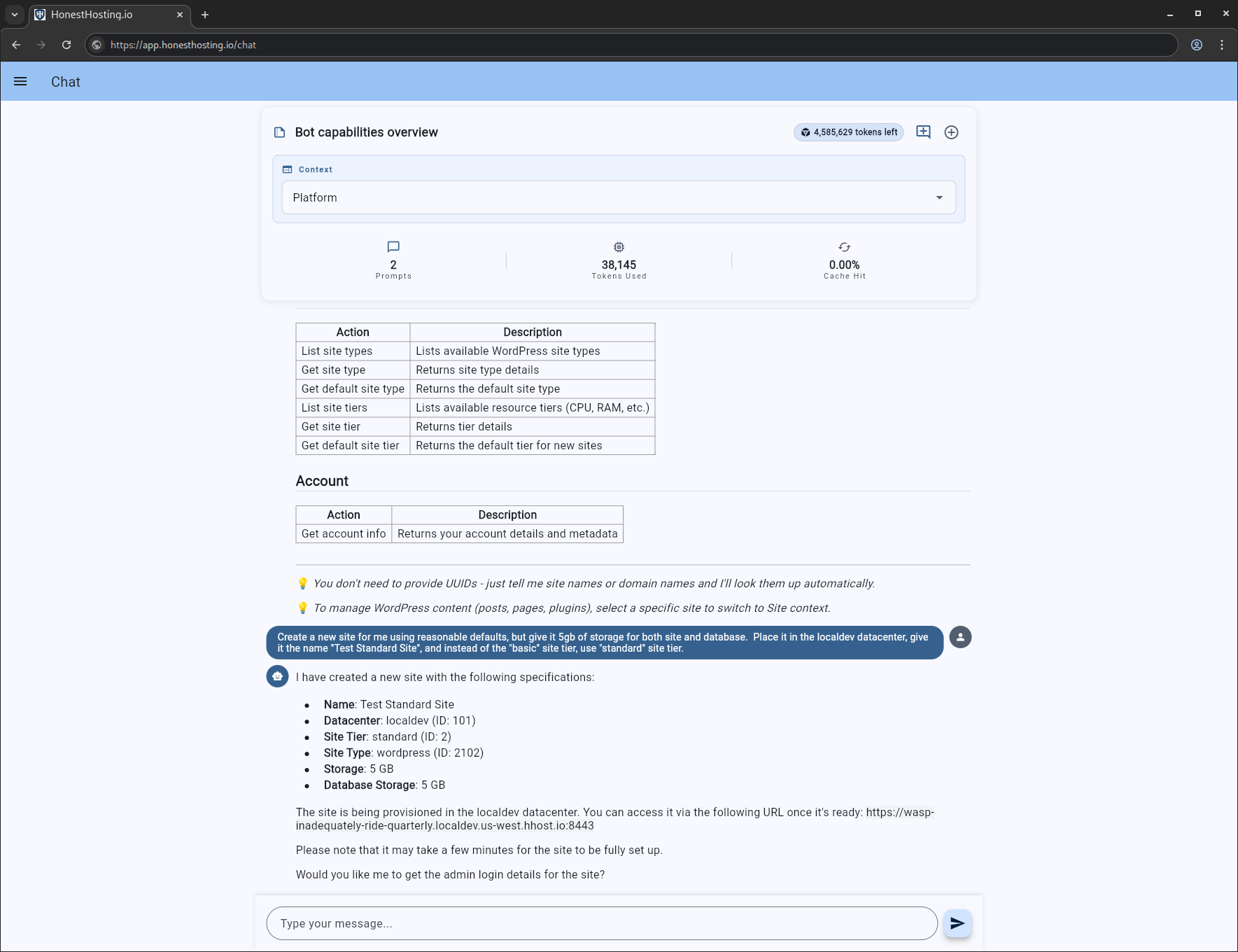
Here, we are going to create a new site using reasonable defaults.
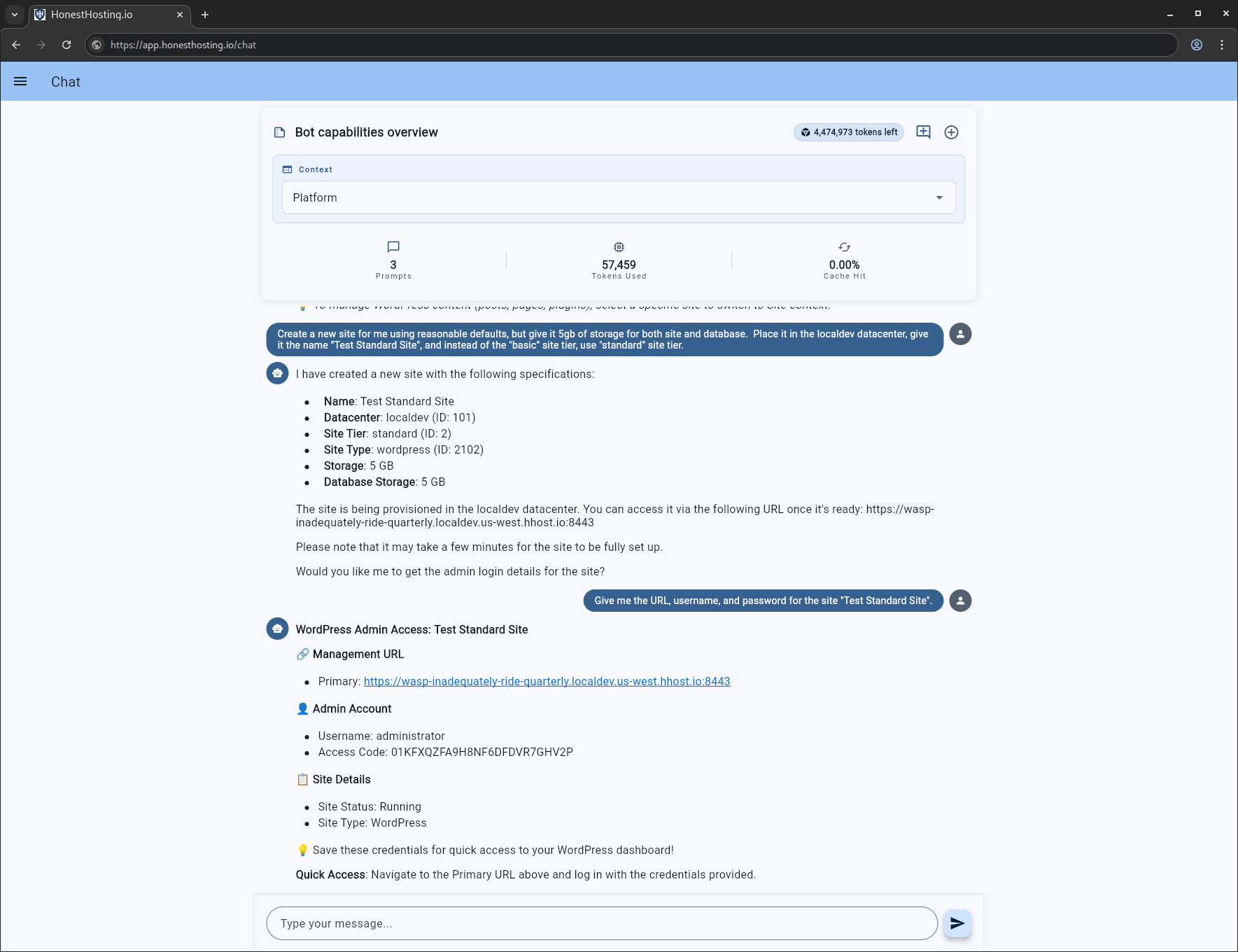
And now, we are going to ask the chatbot to give us the URL, username, and password:
Site Context
We just created a new site “Test Standard Site”. We are going to switch our context to that site, and have the chatbot tell us what capabilities it has access to:
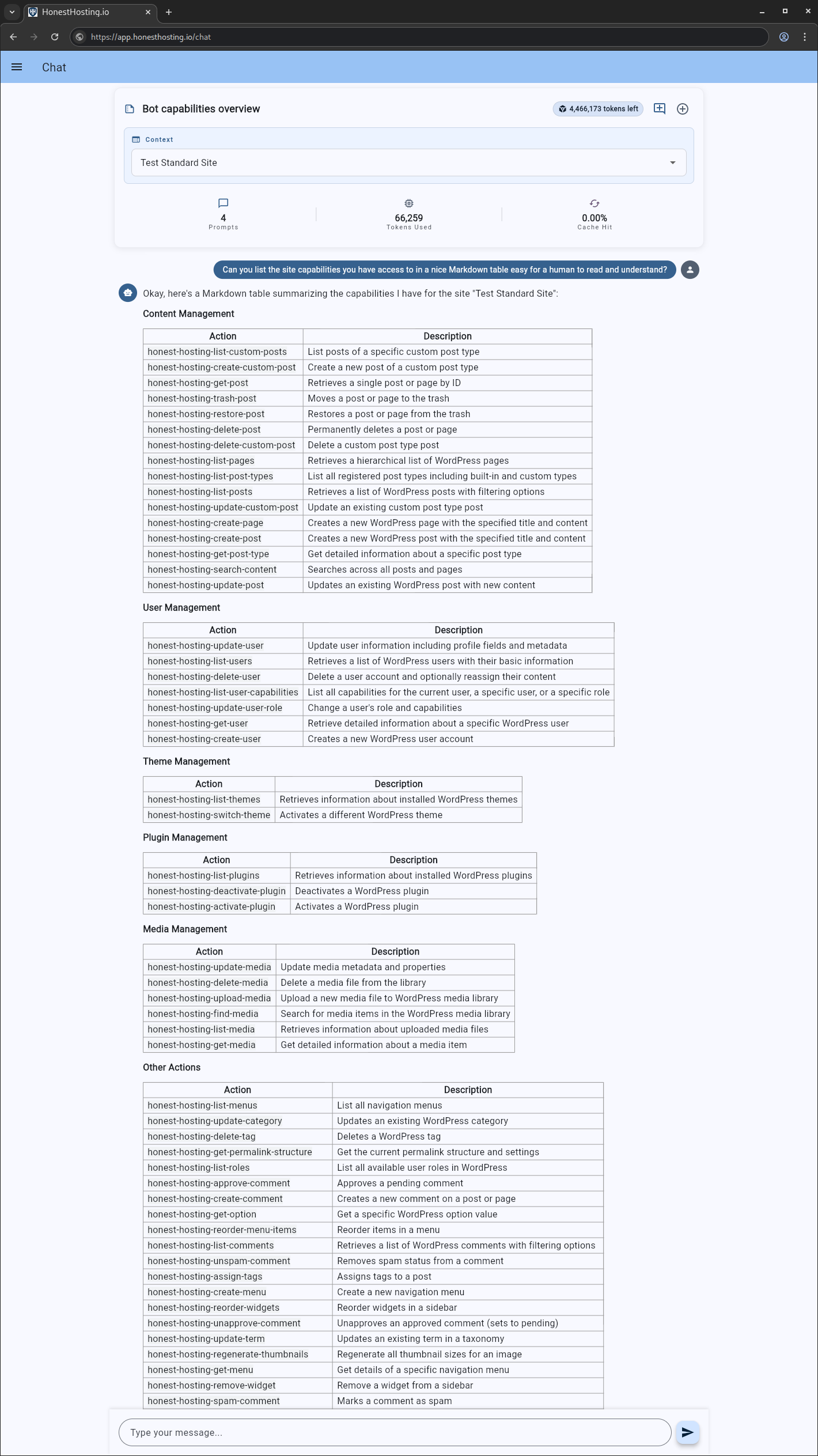
This is an example ONLY–depending on the installed plugins on your site, your response(s) may be different!
Let’s attempt to have it install the latest version of the ‘ws-forms’ plugin (which we know has additional abilities-api registrations we can discover and use):
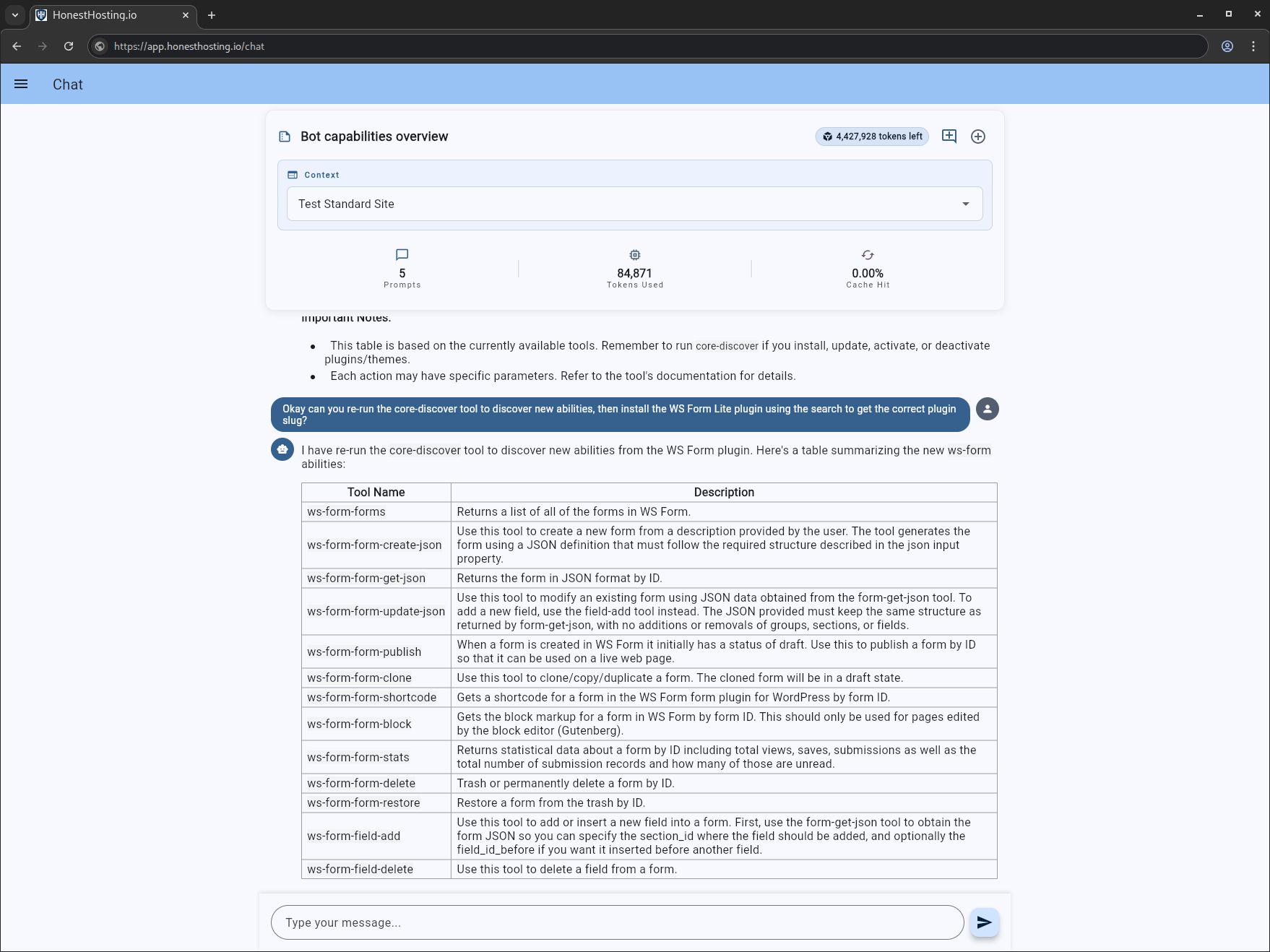
As you can see, this workflow allows automatic discovery & exposure of installed MCP tooling that can be utilized by the platform. This simplifies the deployment, keeps LLM expenses down, and does NOT expose LLM keys to WordPress sites directly.
Summarization
You can also “summarize a previous conversation”. This provides a summarization context for the LLM to work from, but uses a minimal amount of tokens so you can keep working from where you were previously.
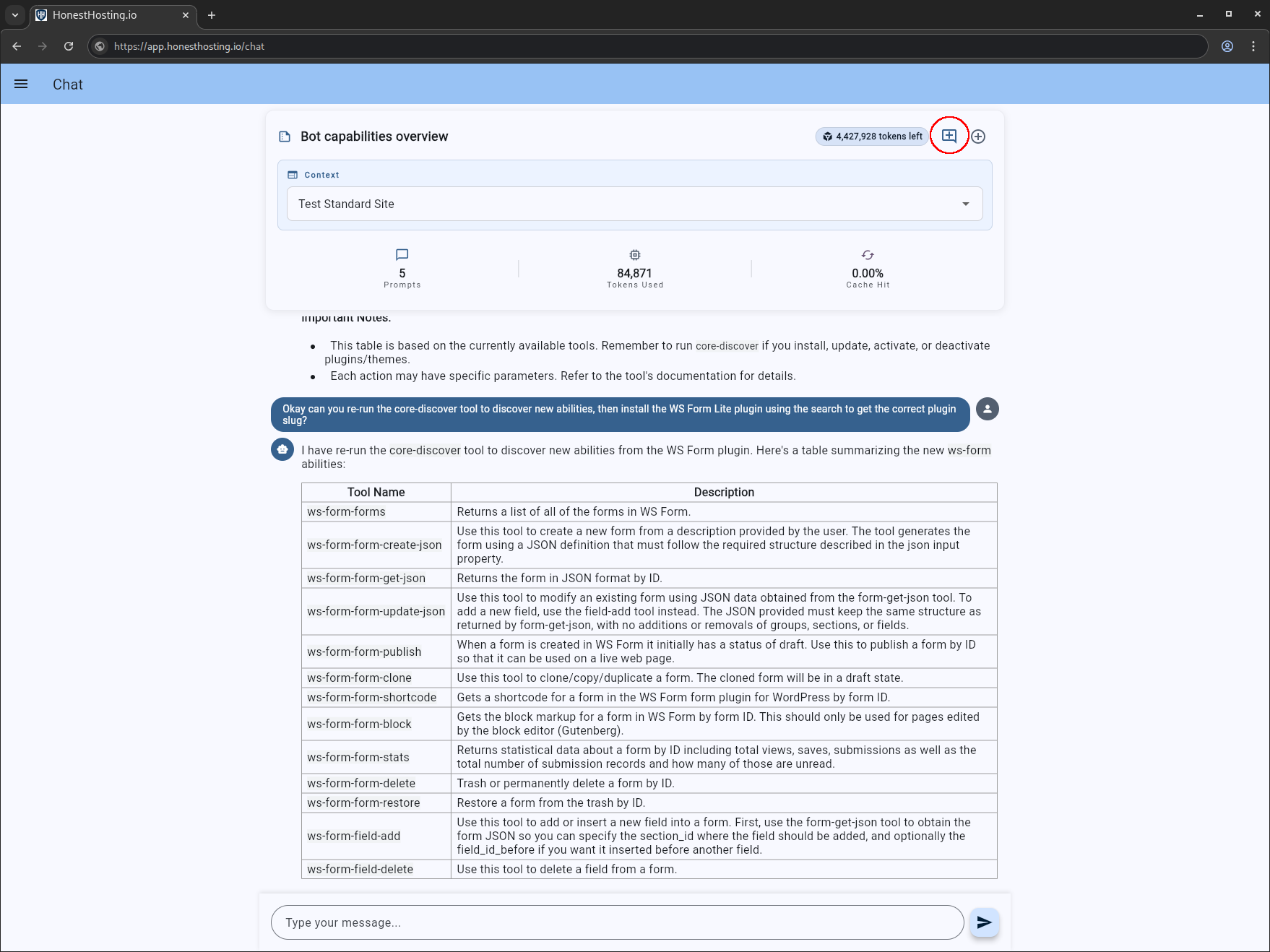
If desired, you can also edit the chat summary and provide a more useful name:
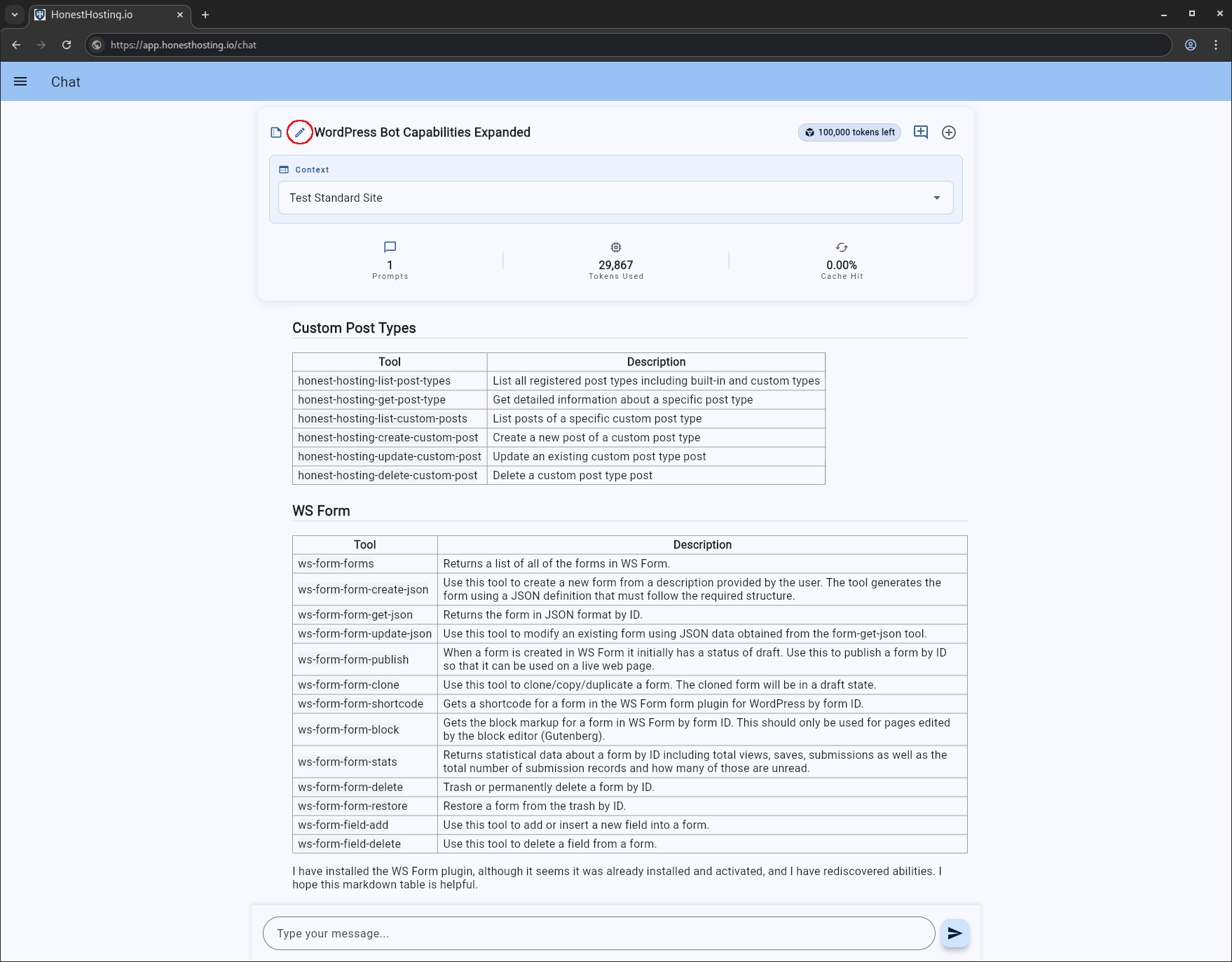
Chat Summarization is still an active work-in-progress. If you notice issues or problems, report them to hello@honesthosting.io.
Payments
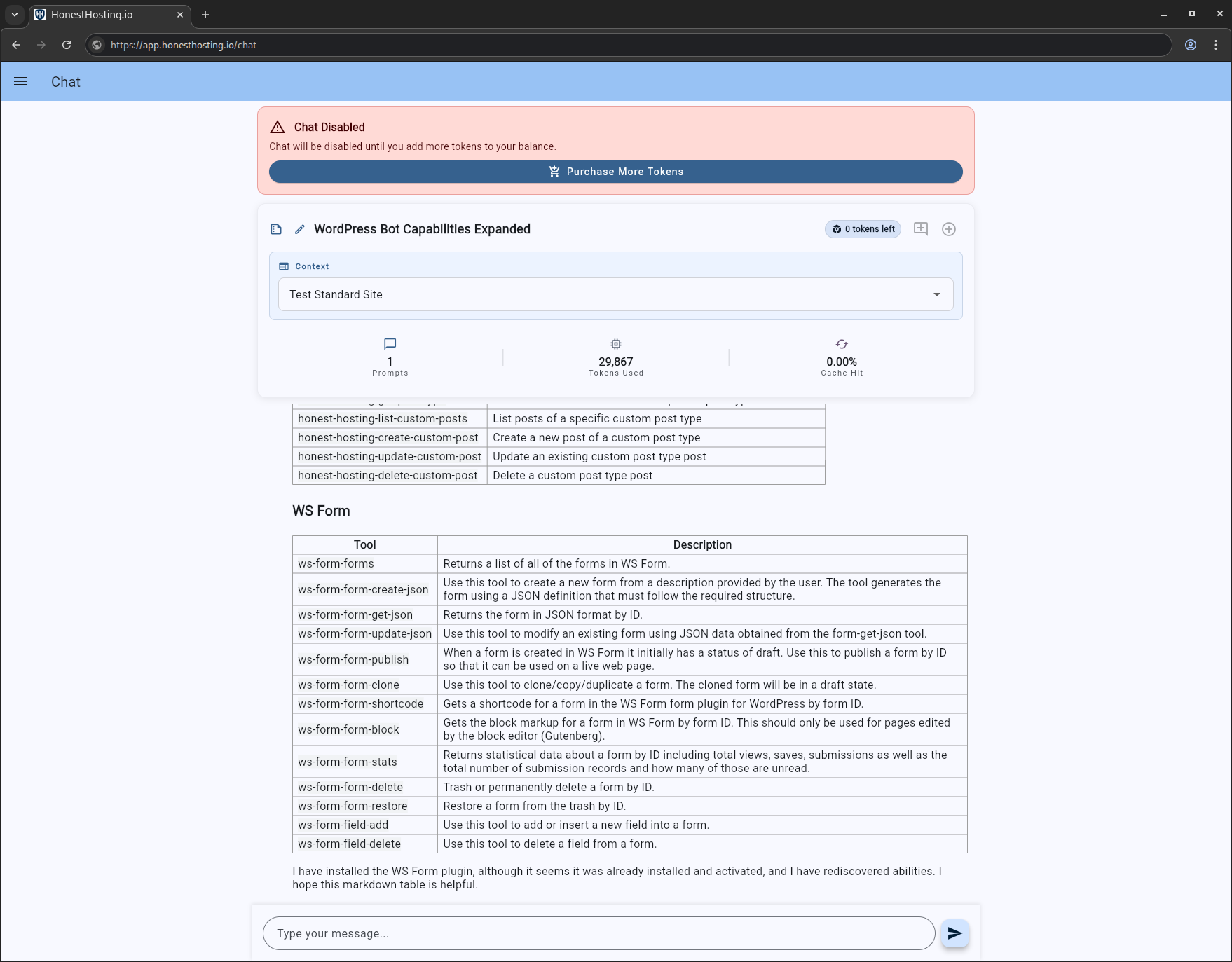
If you run out of tokens, you will be prompted to purchase more with a notification like this:
All accounts come with some free tokens initially. Once those tokens run out, you will need to purchase more to continue using the chat feature.
Select the package you want, and click Continue to Payment:
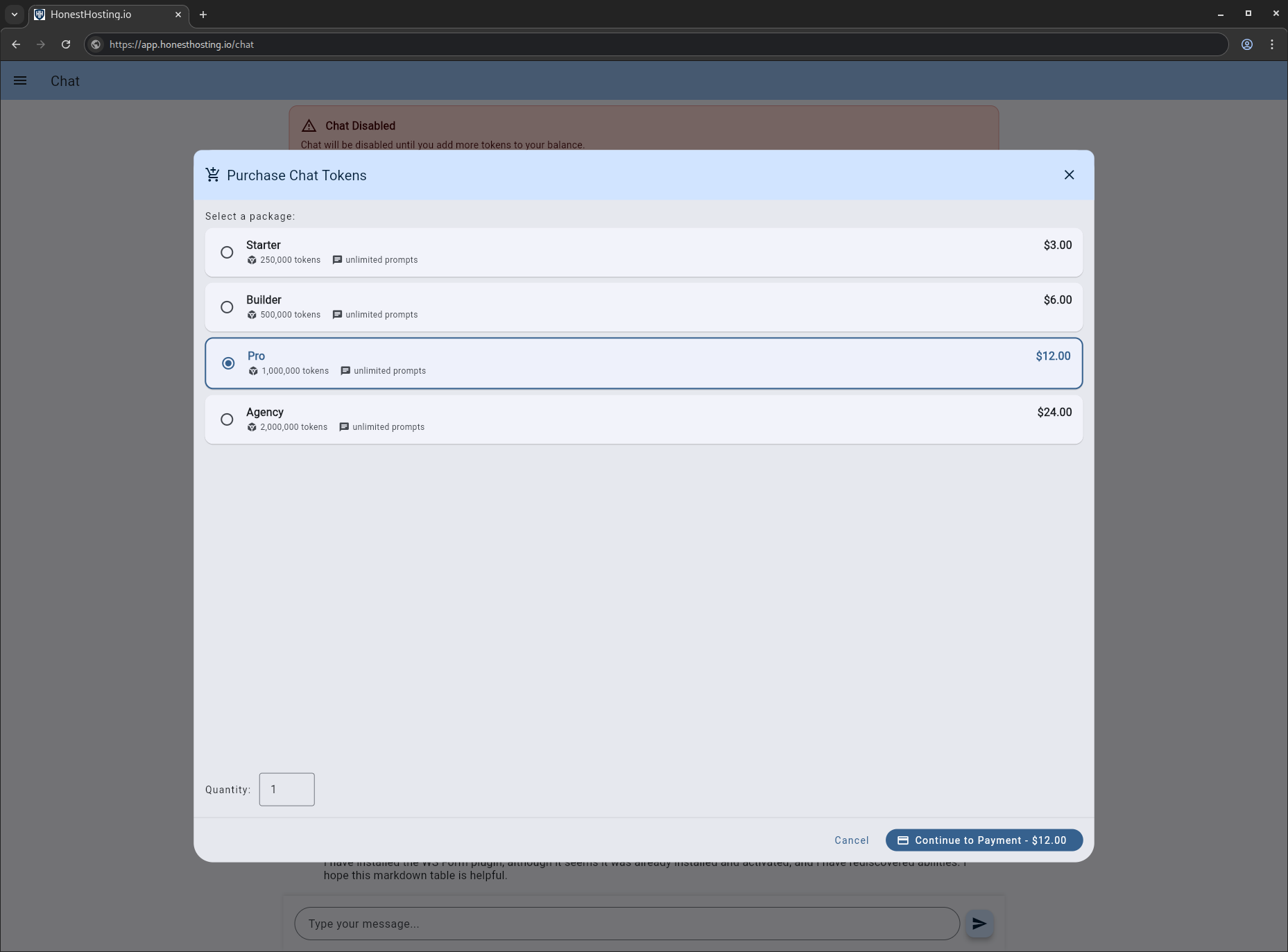
You will be redirected to a new Stripe Checkout session. Once completed and charged successfully, you will be redirected back to the Chat location,
and your Token balance on your Account should be updated accordingly.
Tips & Tricks
Do you have tips & tricks? Would you like to see enhancements to our Abilities API integration with WordPress? Do you have a use-case you would like to see us cover?
Are we doing something stupid?
If you answered YES to any of those questions, feel free to drop us a line at hello@honesthosting.io,
or click the button below to join us on Discord for immediate feedback & access!