Payment Requests
Summary
A Payment Request is a request to remit payment from your Client for services rendered,
and is how you get paid by the HonestHosting platform. You can bill for one-time products (Search Engine Optimization,
website redesign, etc.) or recurring items like web hosting. Payment Requests use Products and
Prices you have previously created in your Reseller or Agency property.
You will be unable to create any Products, Prices, or Payment Requests until you complete the Stripe
Onboarding chapter.
Create Request
Payment Requests are sent to Property owners. You can manage Properties when creating new Payment Requests.
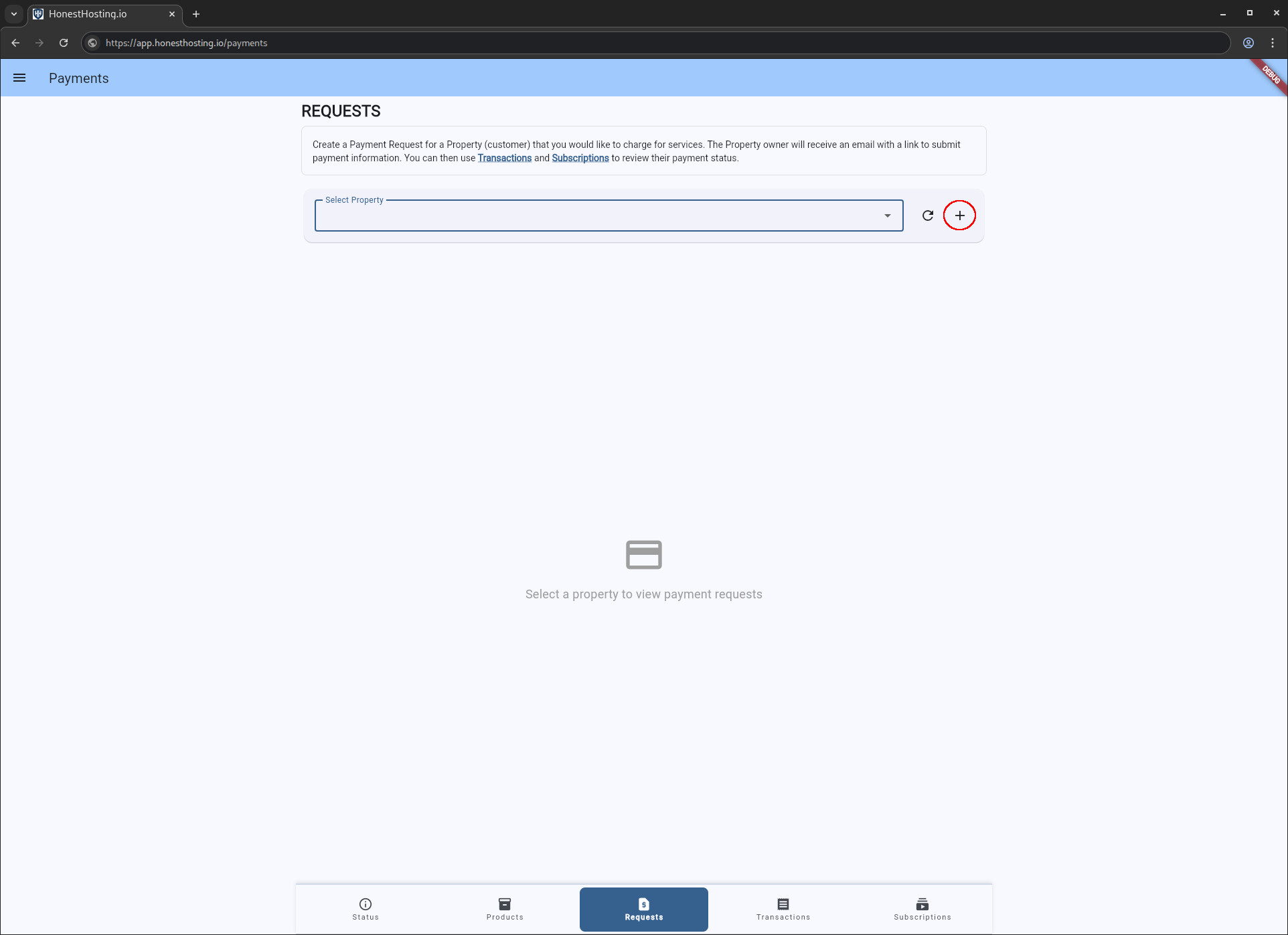
To create and send a new Payment Request to a property owner, log in and browse to the Stripe -> Requests tab and
click the + icon button:
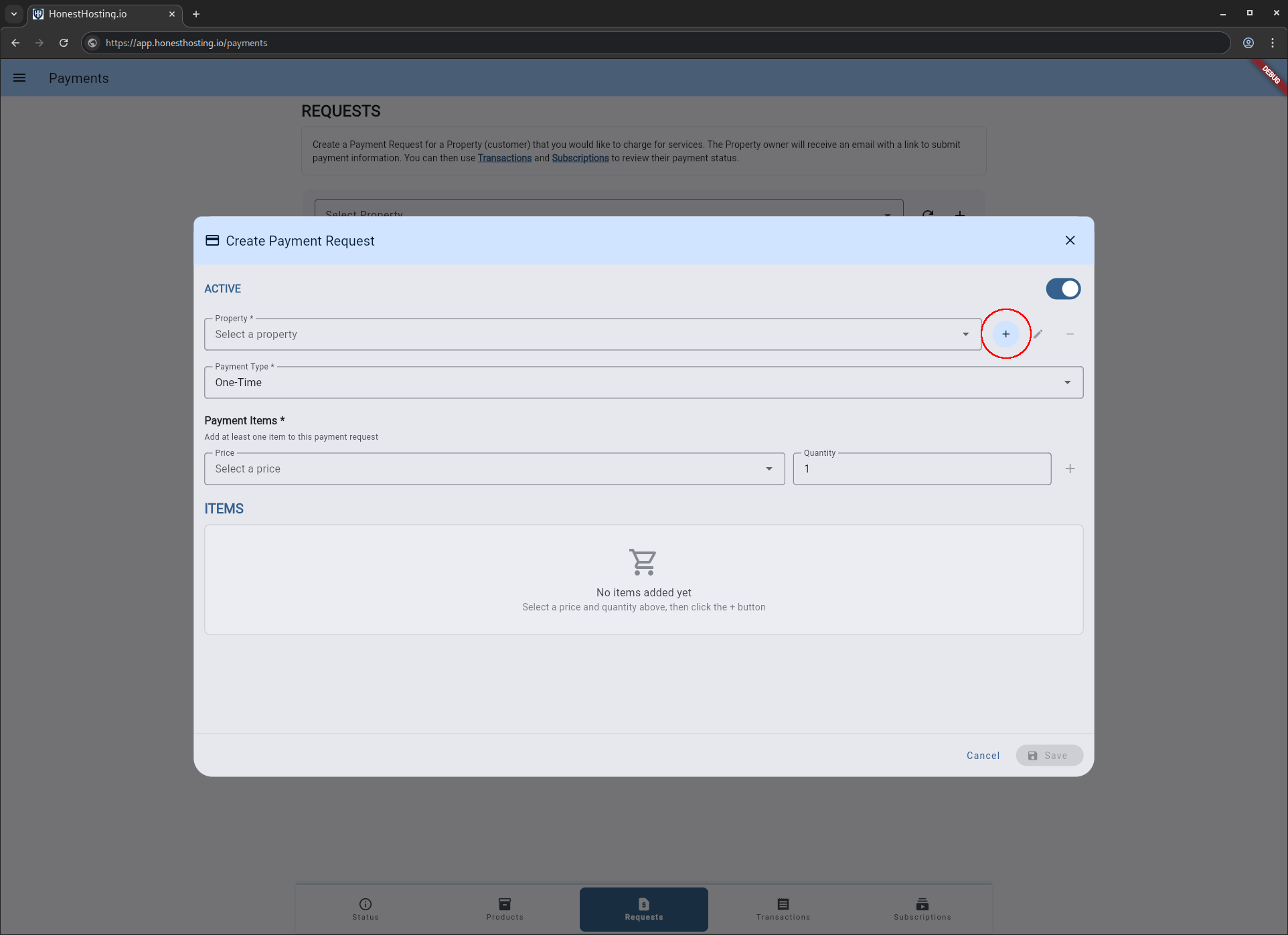
This will bring up a new dialog to create a Payment Request. NOTE: You must select a Property here to create a
Payment Request. If you have not created a Property, click on the + icon button to the right of the Property selection box to add a new one:
Fill out the information required for the Property, and save your changes.
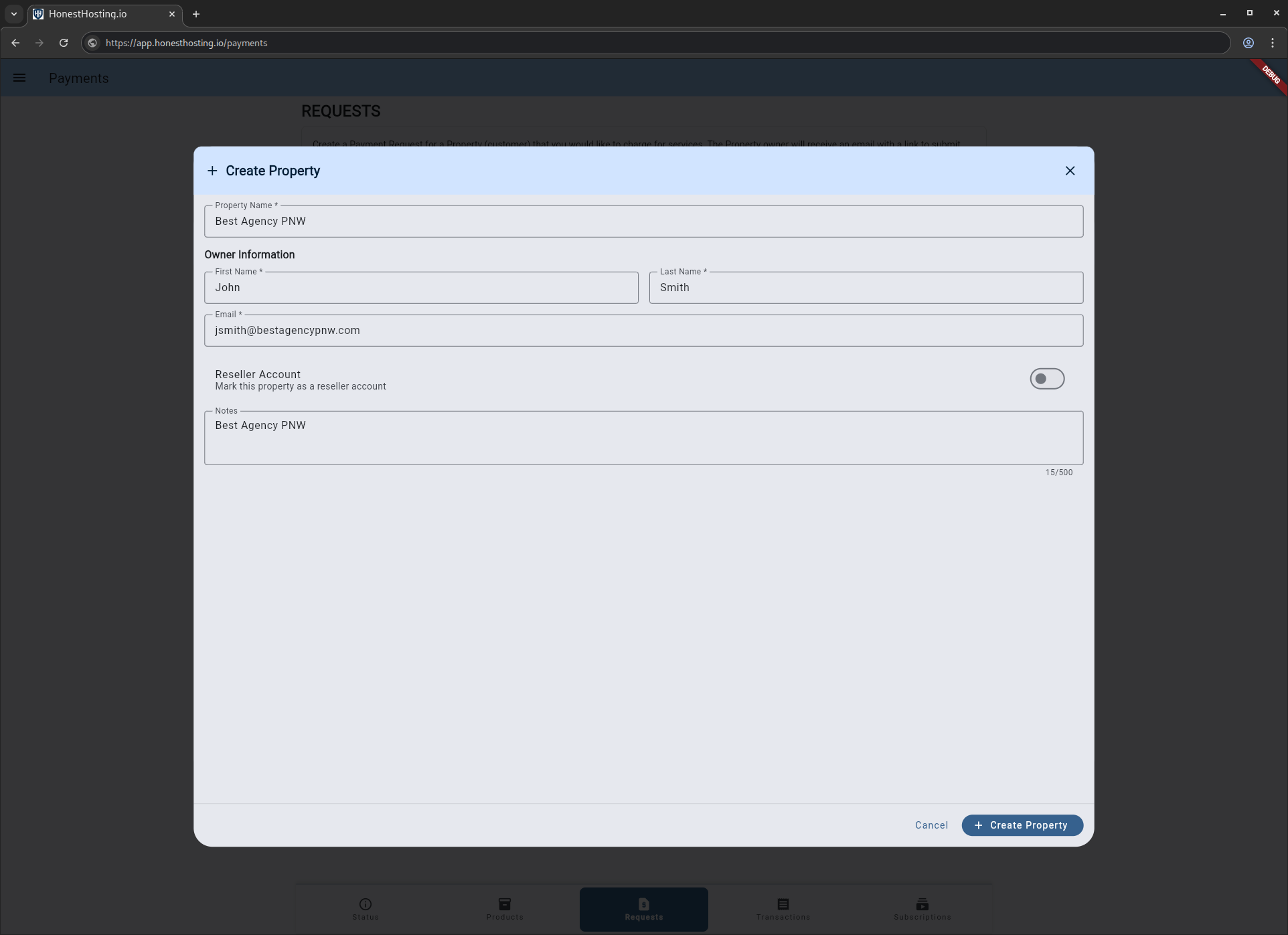
A new Property will be created, and auto-selected in your Create Payment Request
dialog:
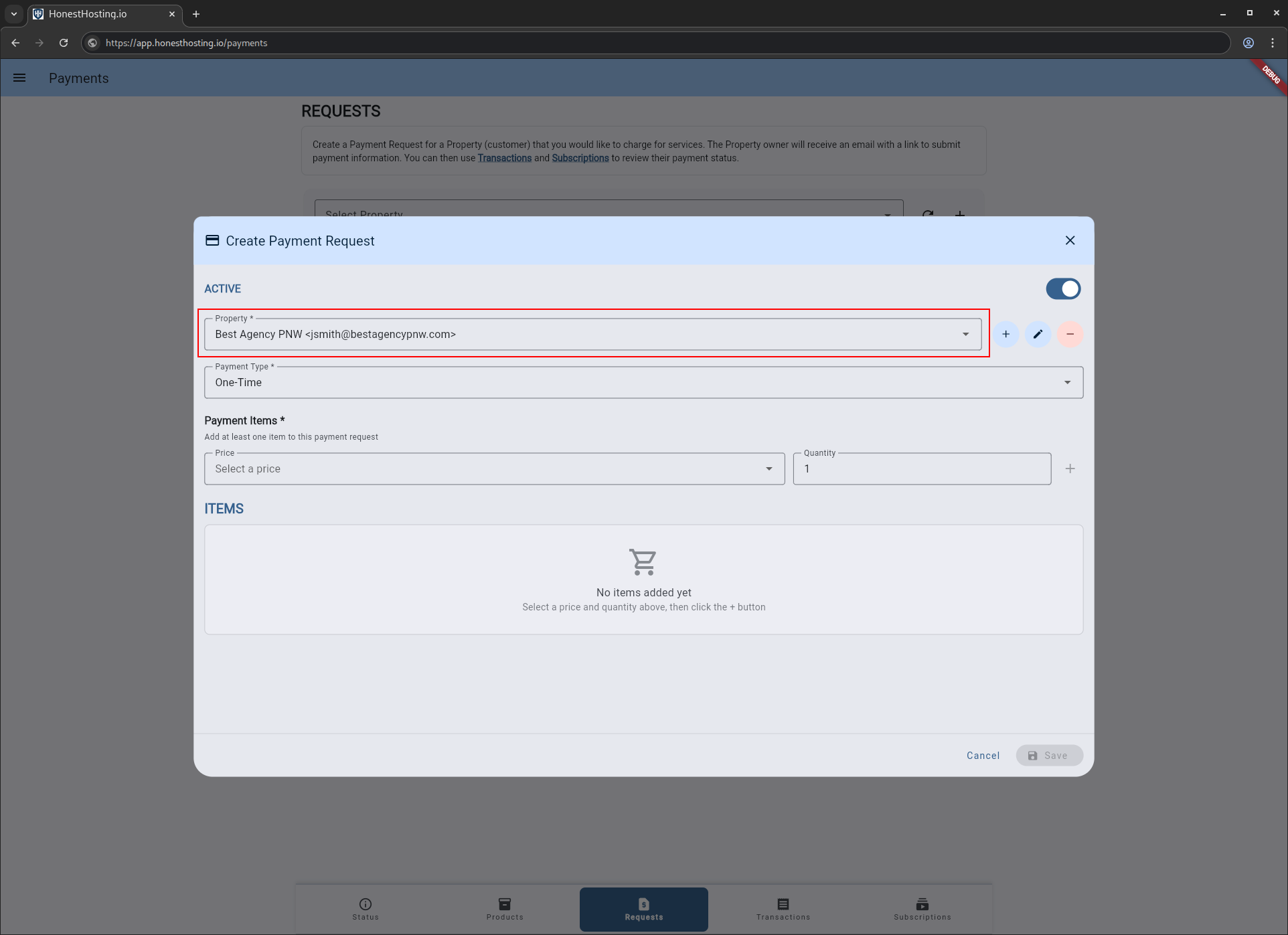
For this example, we will be creating a one-time Payment Request for Search Engine Optimization product. Select
the Type, and fill out the information for the request:
Type- EitherOne-TimeorRecurring.Product- TheProduct+Priceyou are associating with the request.Quantity- The quantity the client is purchasing, typically1.
Once you have the information filled out, click on the + icon to add them to the request:
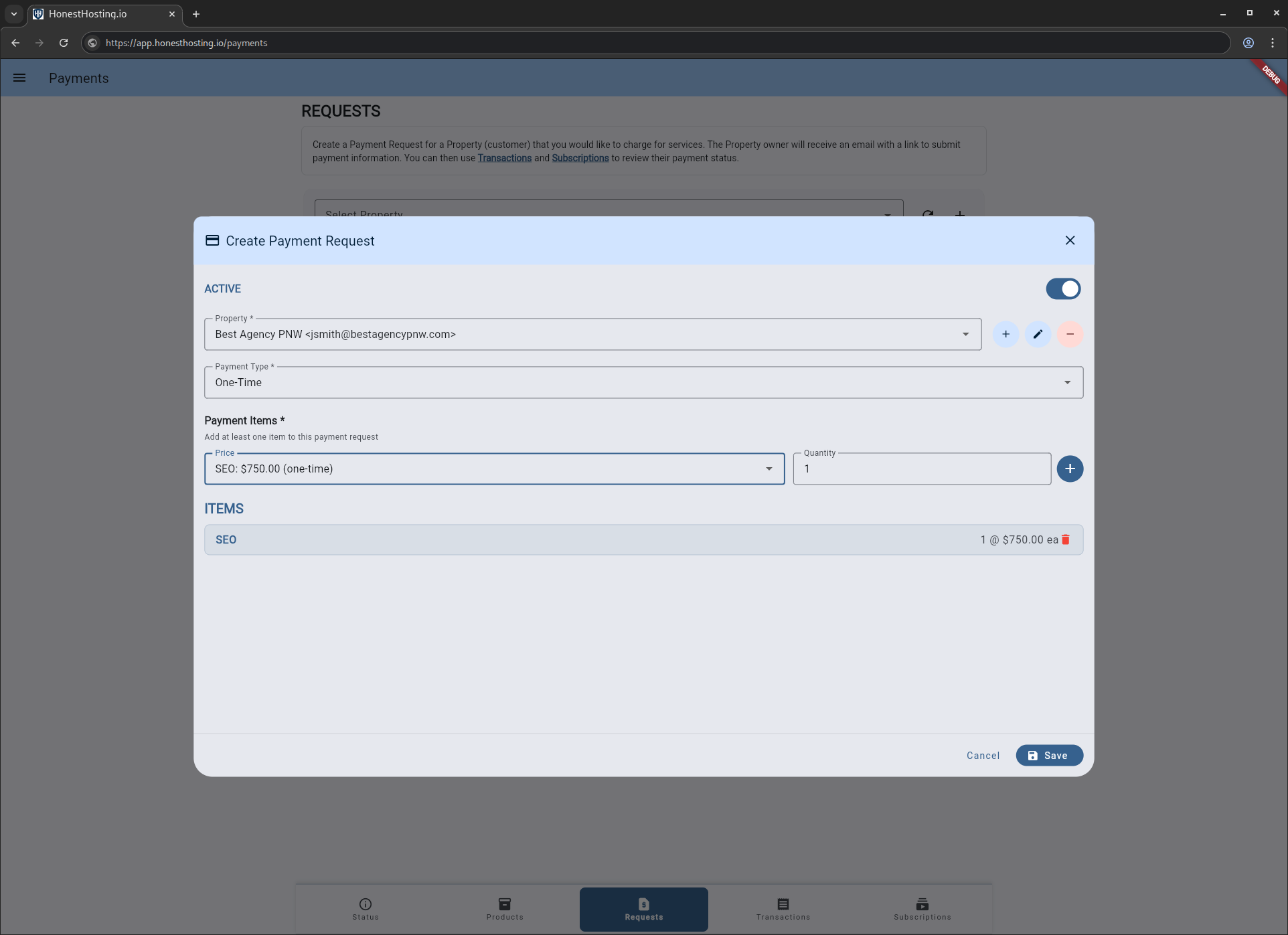
When specifying a One Time payment request, you may add up to 10 individual product/prices to the payment
request. For Recurring payments, you may add a SINGLE product/price to the payment request.
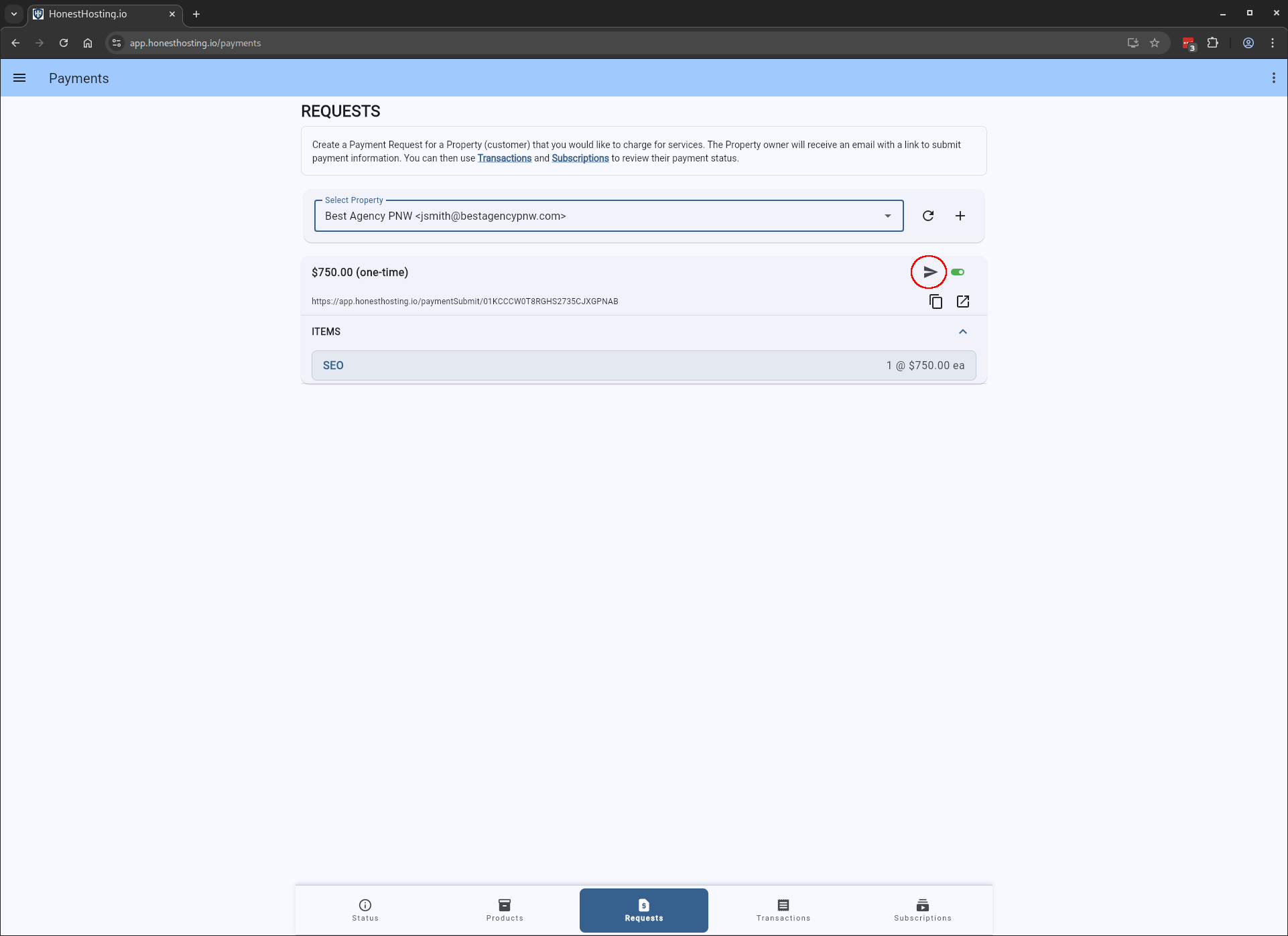
Once saved, you can send an email directly to the Property owner or copy the payment URL to your clipboard and send it
to them directly to request payment.
Make Payment
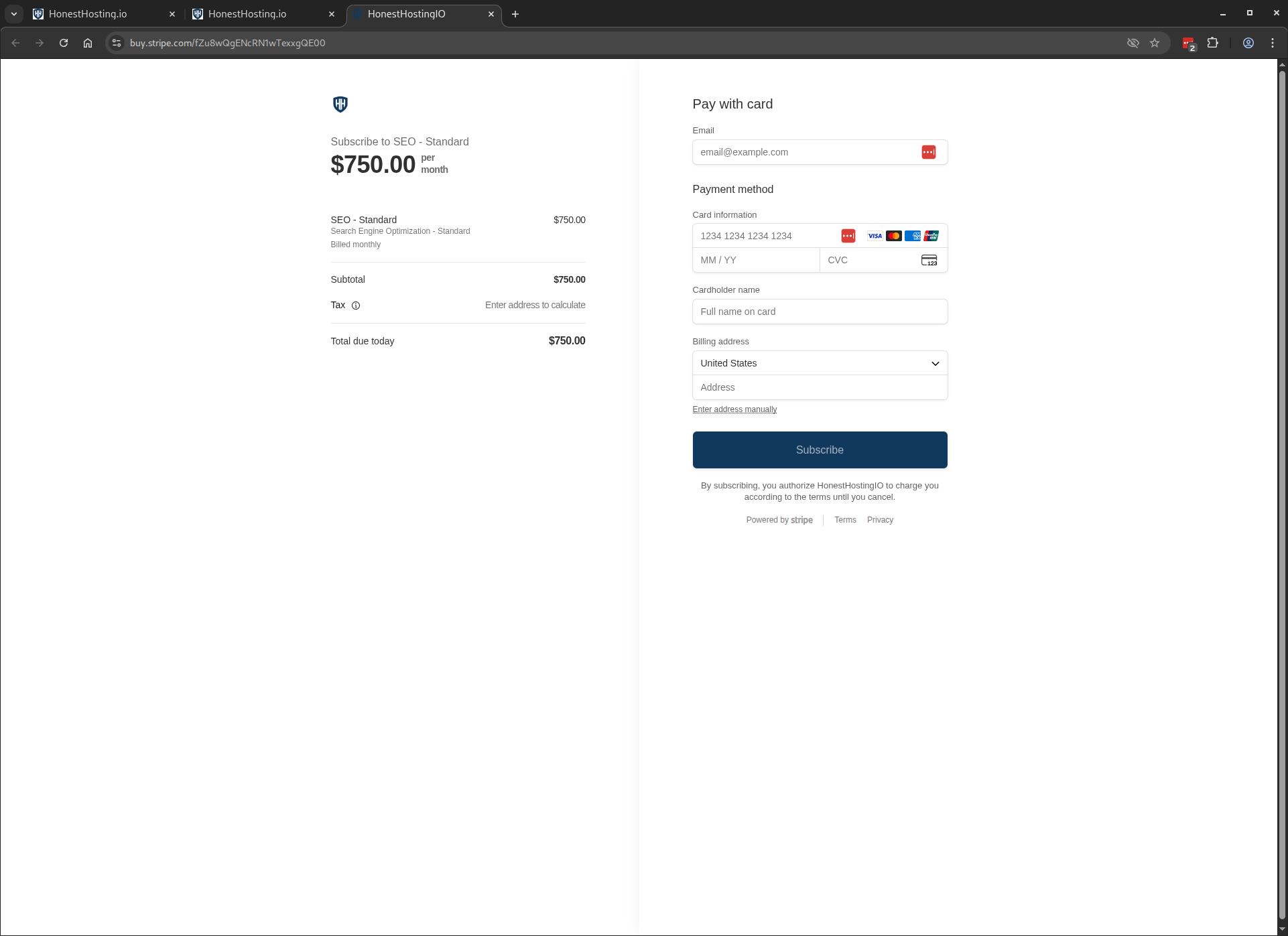
When a user processes your payment link, they browse to the URL, and are presented with a screen like this to submit payment data: