> Email > Create Email
Create Email
Create Email
You can only create email accounts AFTER the domain is verified by Google Workspace.
Once the domain is verified, you can now click on the Emails tab and add an email.
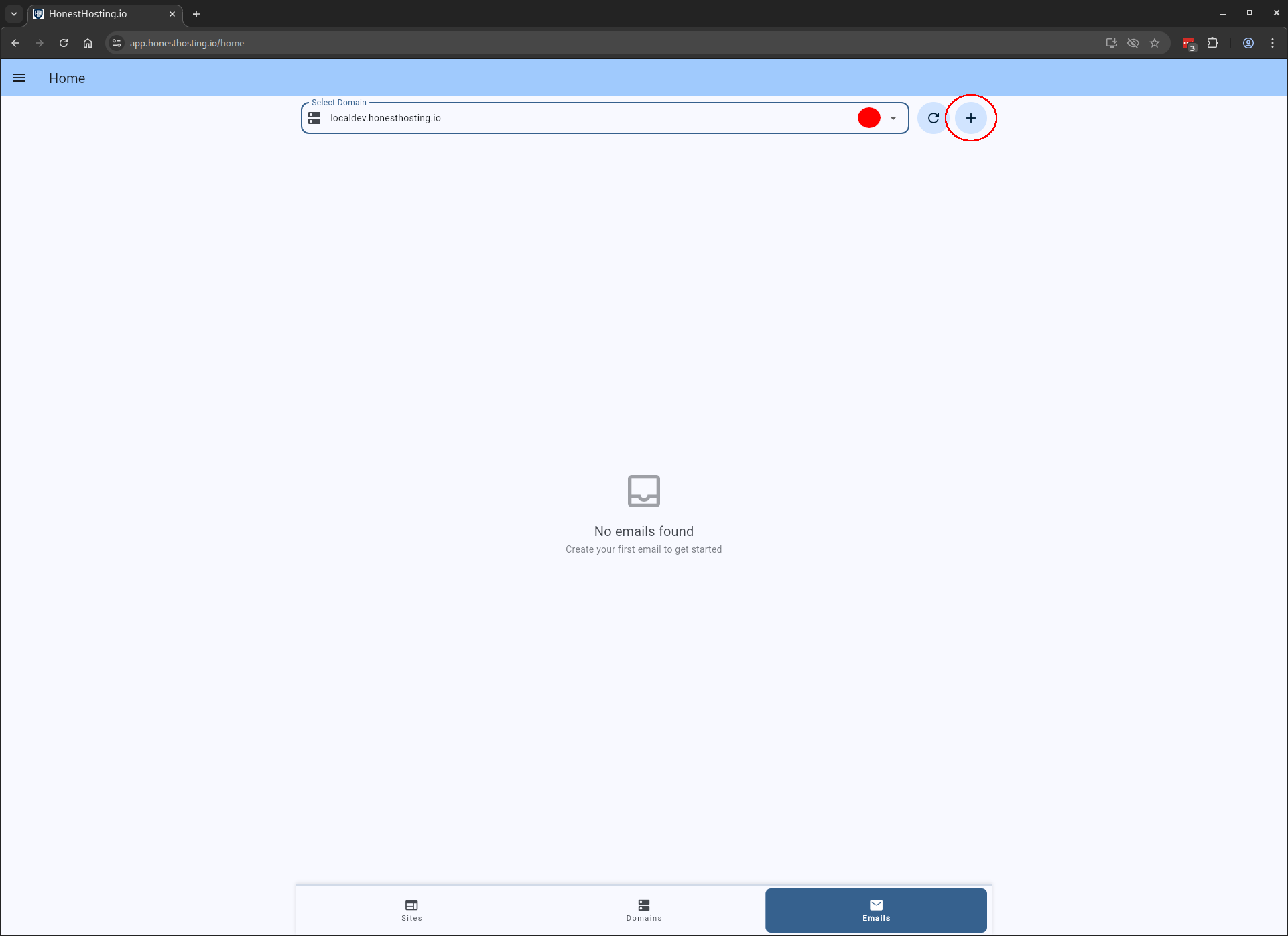
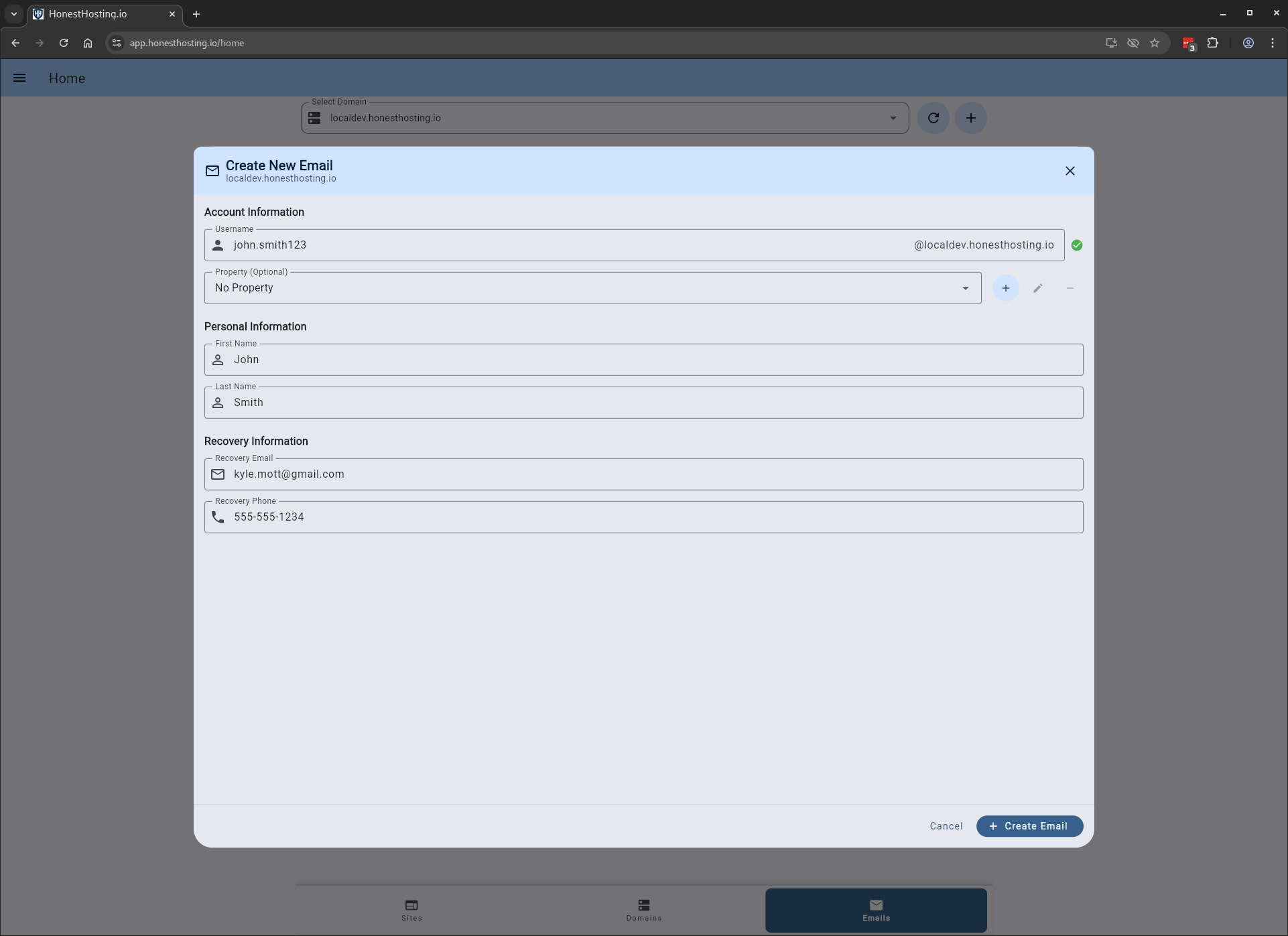
Fill out the information for the user, and save your changes:
| Field | Description |
|---|---|
| Username | The first part of the email as the users username |
| Property | An optional Property the Email is associated with |
| First Name | The users first name |
| Last Name | The users last name |
| Recovery Email | The users recovery email in case of lost access |
| Recovery Phone | The users recovery phone number in case of lost access |
After saving the account, it will now show up in your Emails tab (depending on which Domain you have selected).
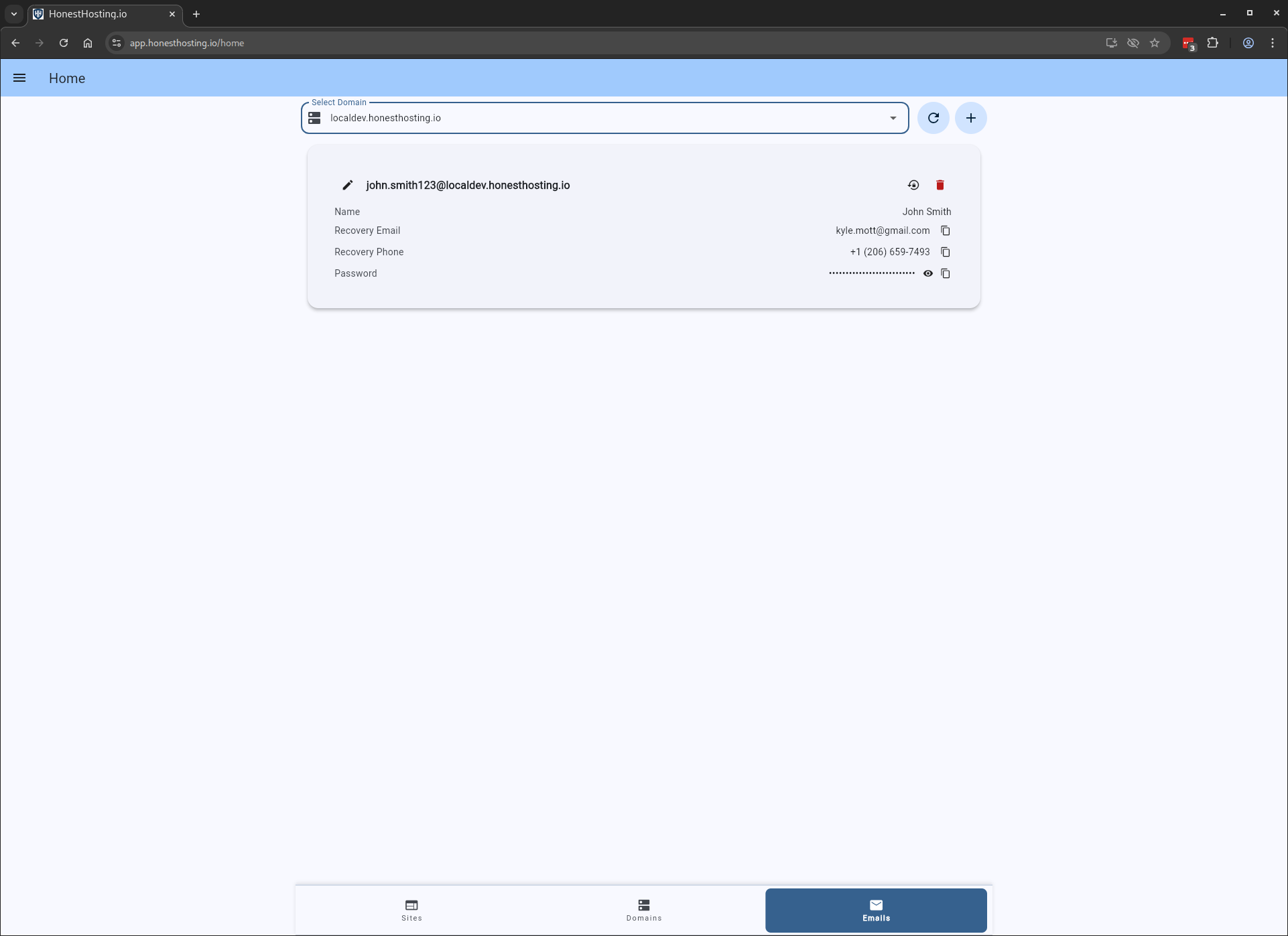
An initial password will be created for the user, which you can view in the list of users. Send that temporary password and login instructions to your user. After they log in the first-time, Google Workspace will prompt the user to change their password, and the temporary password will no longer work.