> Site > Suspend
Suspend
Suspend
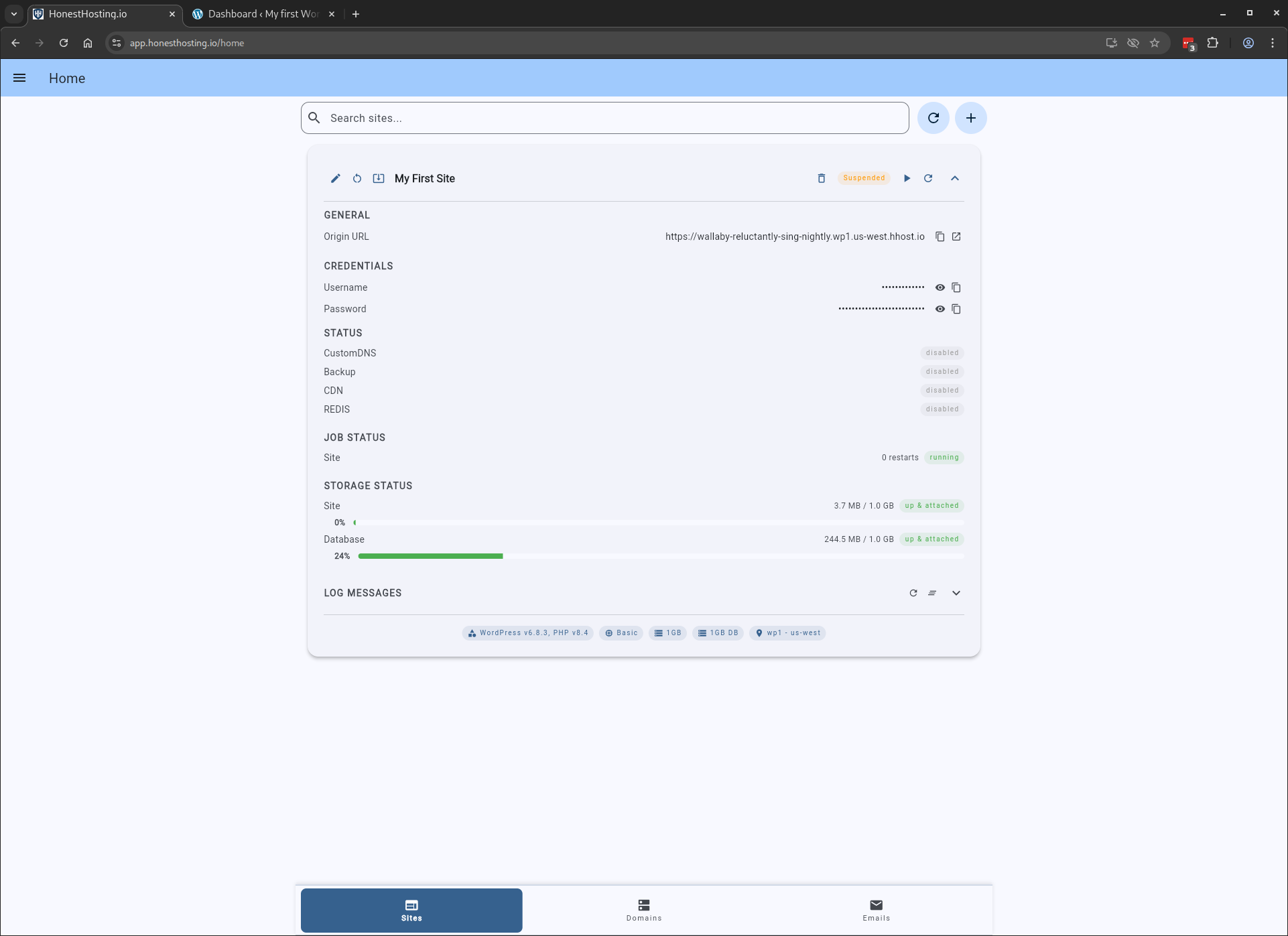
For a given Site, you can suspend it by clicking the Suspend icon button.
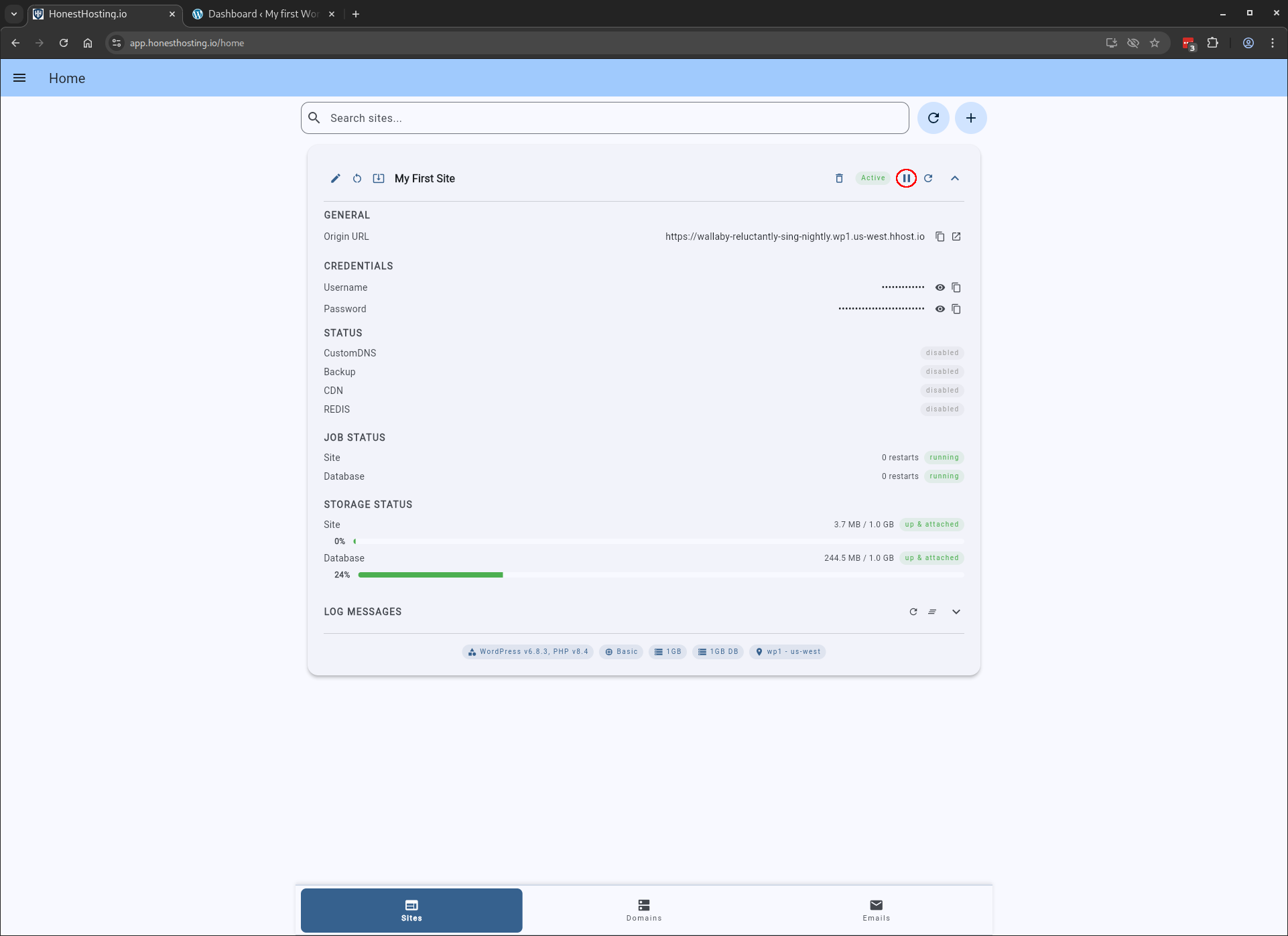
A dialog box will open letting you select a reason for the suspension (violation, overage, non-payment, etc). The Site will
be updated & re-dpeloyed–however, when a user accesses it, they will be redirected to a suspension landing page on
https://www.honesthosting.io.
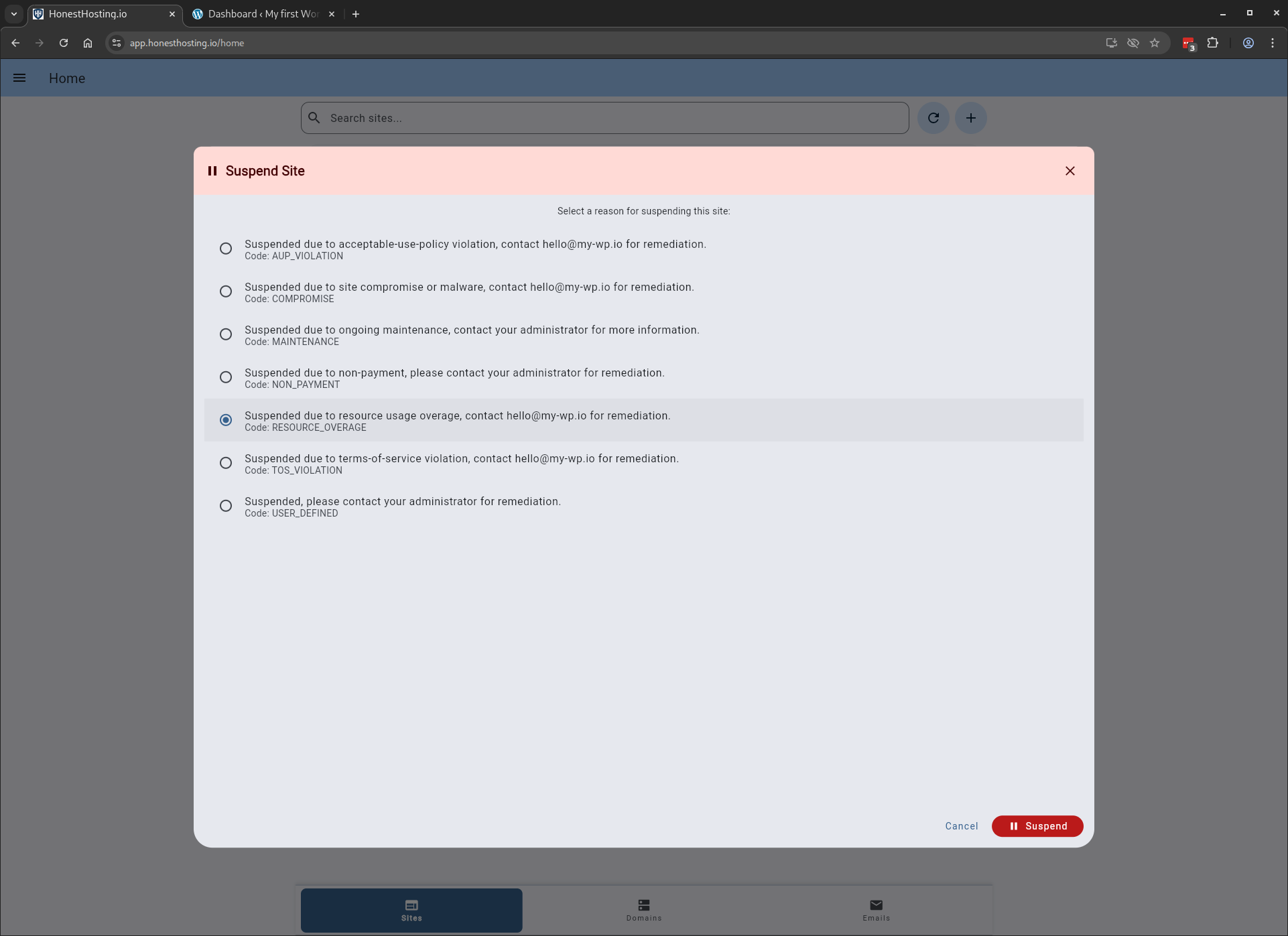
Once the Site is saved with the Suspension reason, it will show up in the Site list as Suspended, and when accessed by users,
they will be redirected to a suspension landing page on https://www.honesthosting.io