Import
Import
When creating or editing a Site, you can enable the Import option, which allows importing a Site from a different hosting
provider directly into a HonestHosting Site by installing the HonestHosting Site Migration WordPress plugin, configuring a
simple import_key, verifying preflight checks pass, and starting the migration.
The Site Import works well for small / minimal sites on shared hosting, up to dedicated behemoths with over 10GB of used storage
across ~90k files. The plugin supports full, incremental, and scheduled migrations to ease the migration burden when
managing + migrating many Sites to HonestHosting.
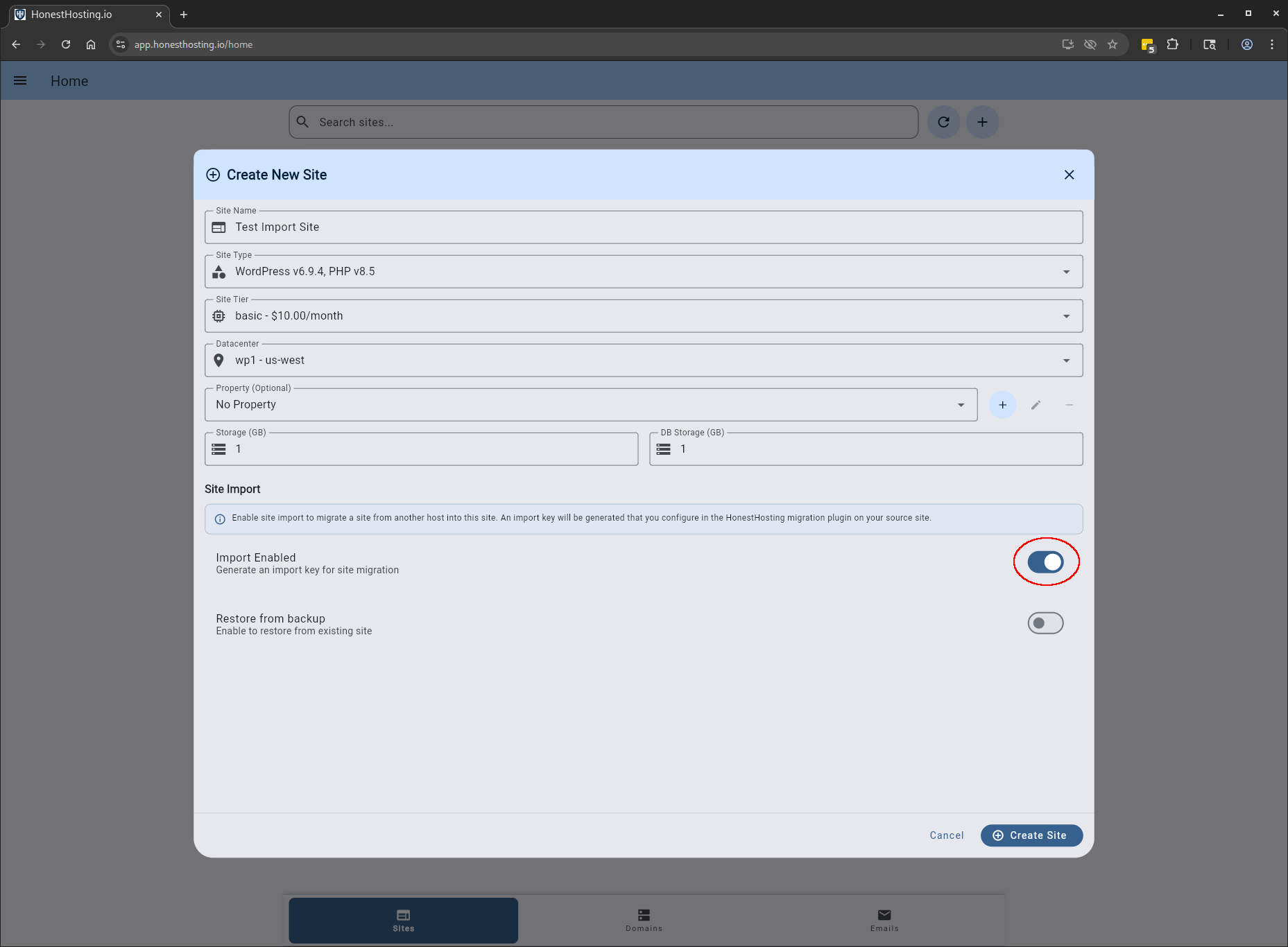
When creating or editing a site, enable the Import toggle:
Generally speaking, we highly recommend setting the same WordPress + PHP version as your source site. However, that is not strictly necessary, and you can export/import from different WordPress and/or PHP versions (though we don’t recommend it).
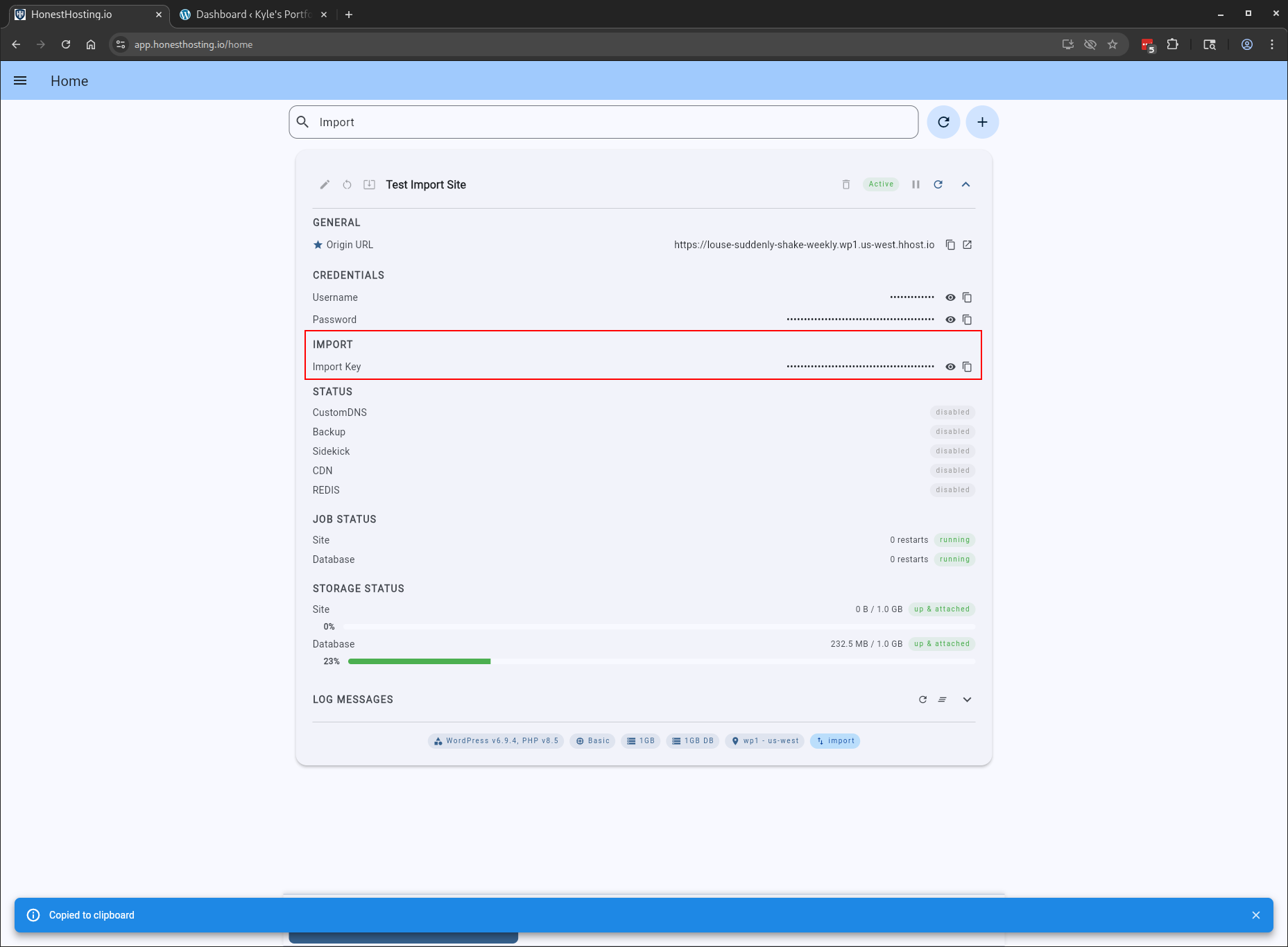
Once the Site is created, you will have a new Import Key you can copy and paste into the WordPress plugin settings on the Source
site:
On the Source Site, browse to plugins and install the HonestHosting Site Migrator plugin. You can also download the latest
version of the plugin from GitHub.com:
As of May 2026, the HonestHosting Site Migrator plugin is active & available on WordPress.org.
You can now search for & install it directly from the WP Admin plugins area on your source site.
Once the plugin is installed & activated, browse to Tools -> HonestHosting Migrator:
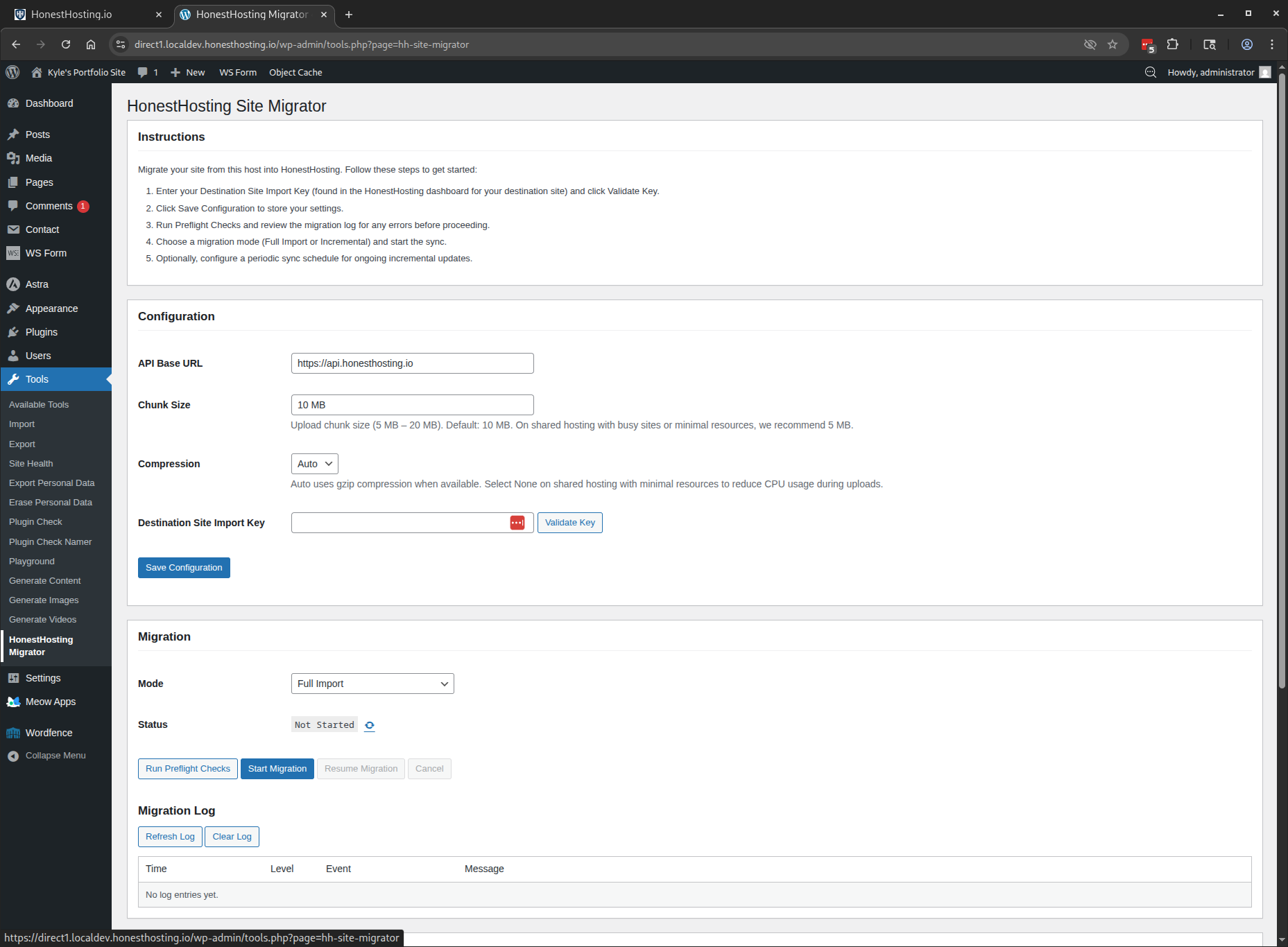
Paste in your Import Key, and click Validate Key. You should see basic information load about the destination site:
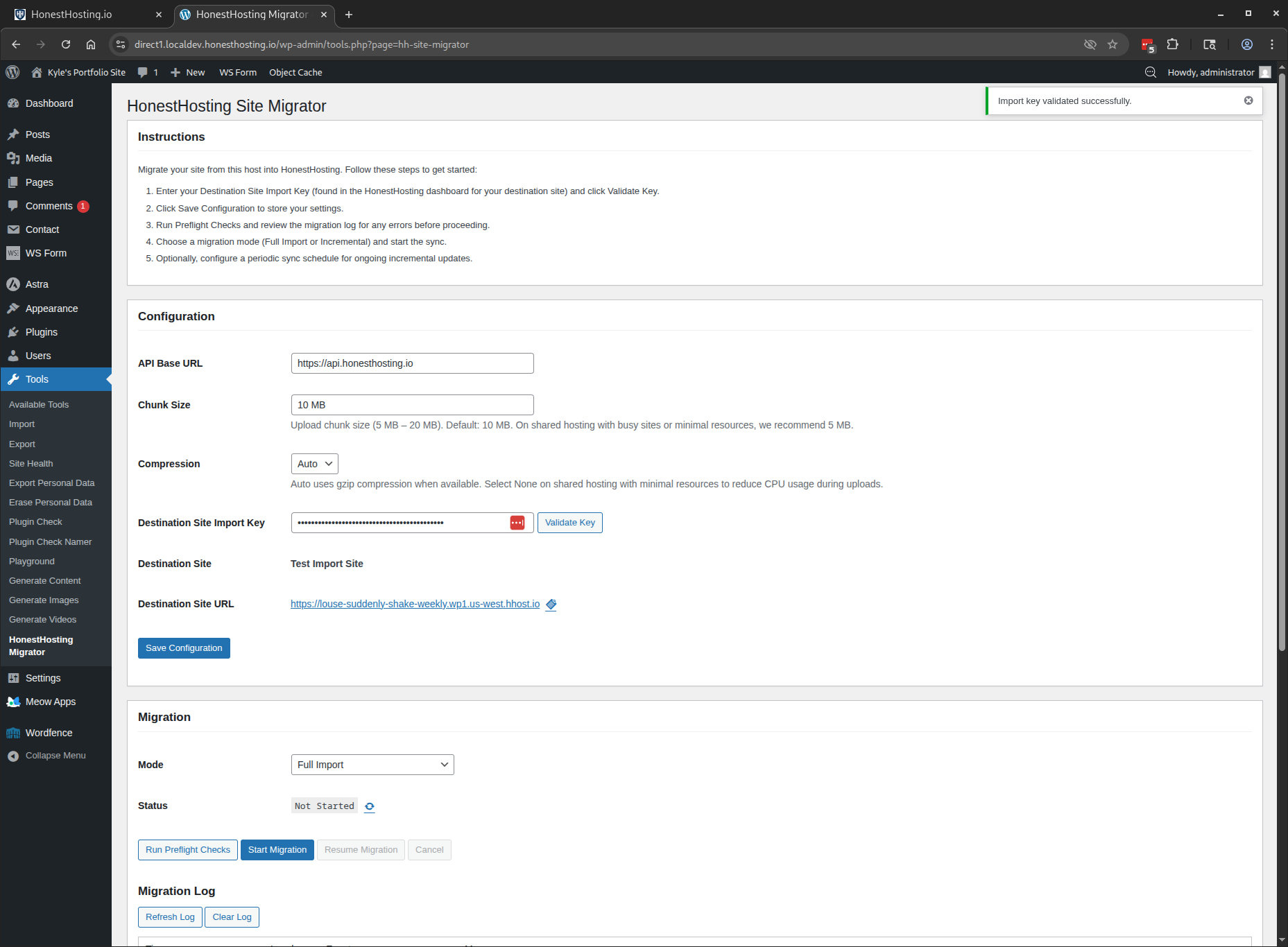
Once verified, click Save Changes (we don’t typically recommend changing Chunk Size or Compression, unless specifically asked),
and click the Run Preflight Checks. This will perform basic diagnostics of the Source Site, comparing with the Destination Site,
validating the export & resulting import should work successfully.
If any Errors are reported during Preflight, you will not be able to start the migration. Resolve the errors, or contact us
to troubleshoot further.
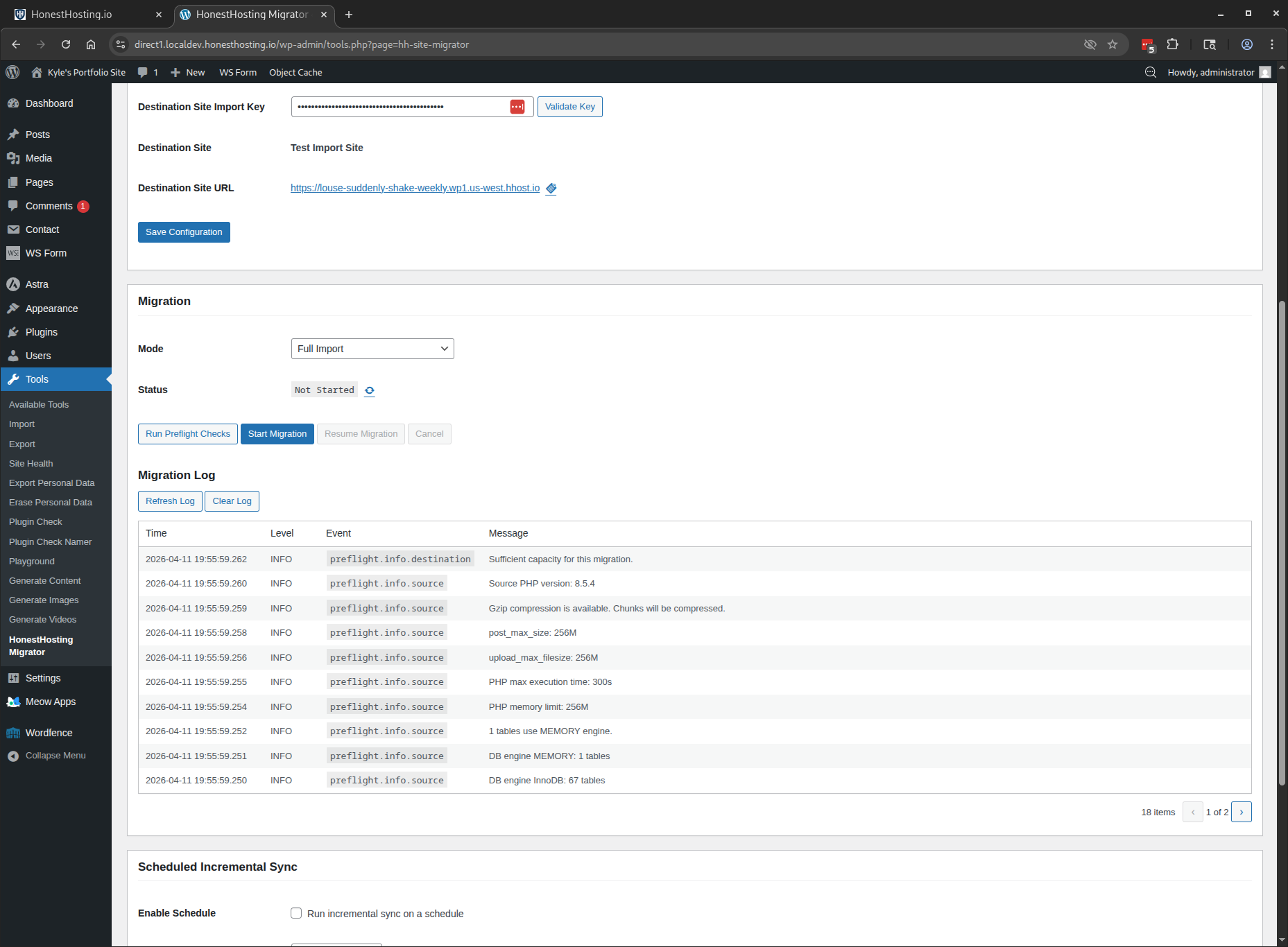
As long as the preflight checks pass, go ahead and click Start Migration. This will begin scanning files and chunking for upload,
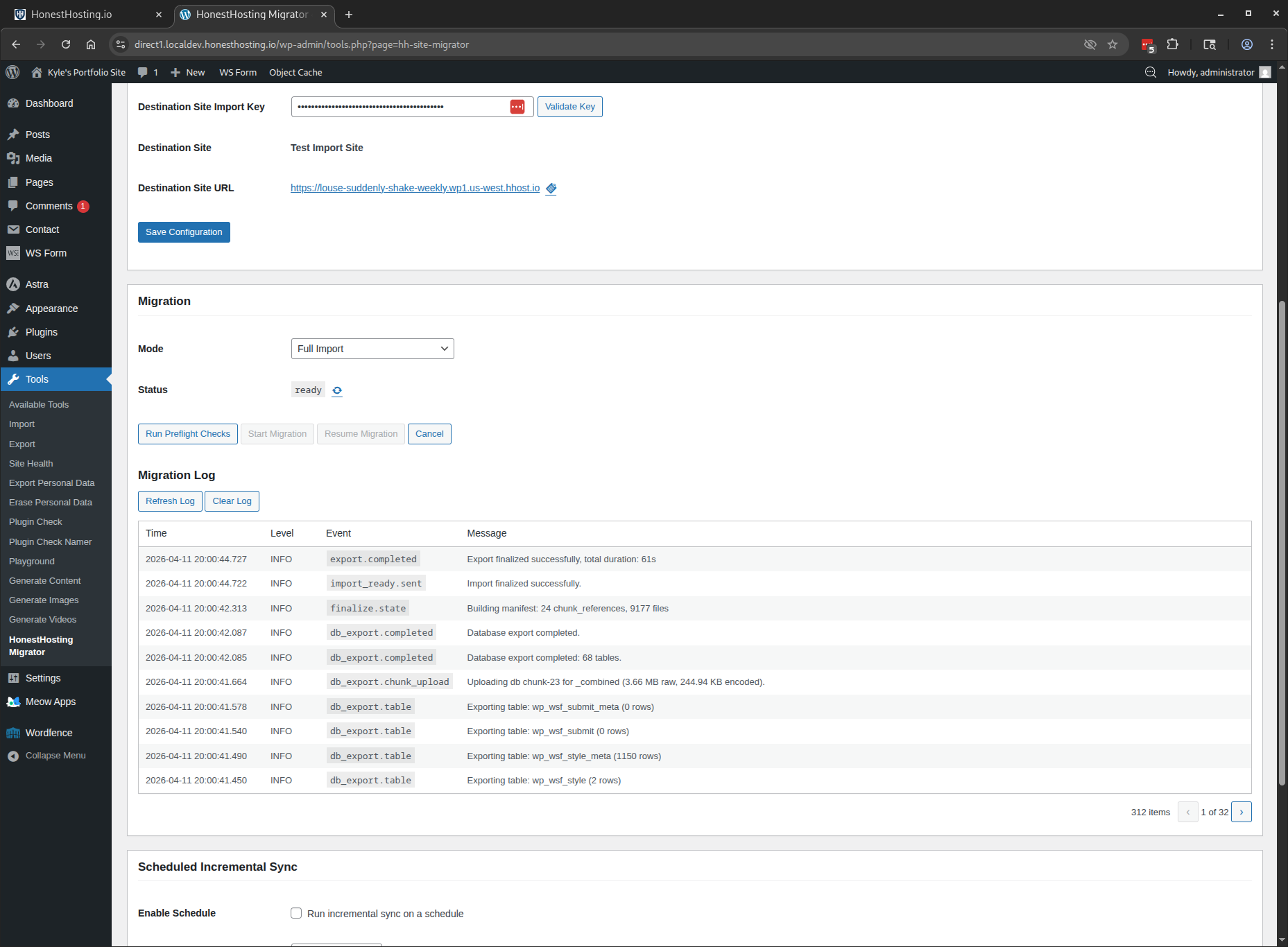
keeping track of indexing, changes, compression, etc. in case the export process gets interrupted (site crash, restart, oomkill, etc).
Depending on the site, export and restore can take 2mins - 5mins, with larger sites taking up to 30 mins for both export and restore.
You can also refresh logs while the export is running on the Source Sites:
On the Destination Site in HonestHosting, the logs area shows what is going on with the restore operation(s), once uploading is finalized:
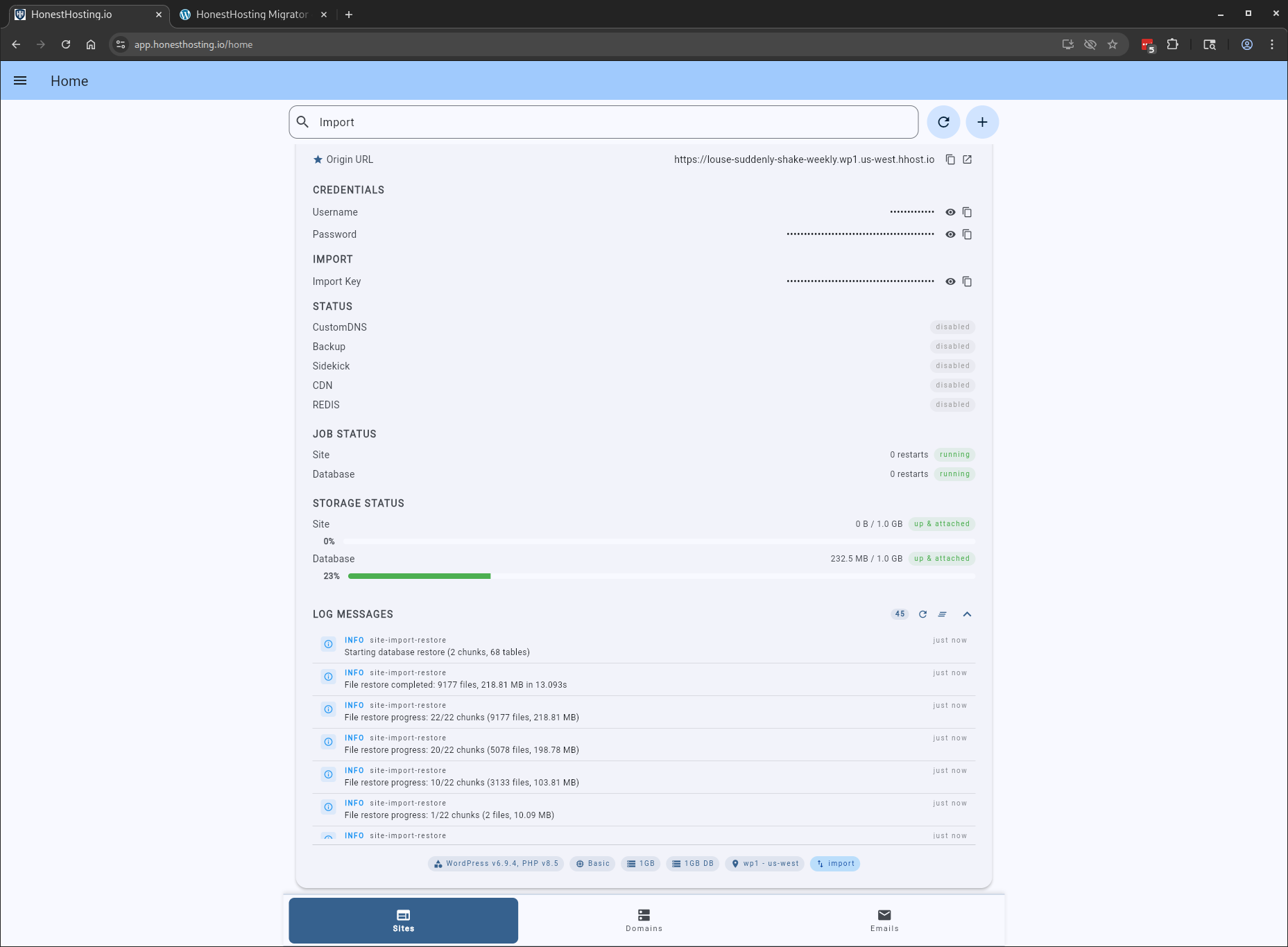
Once the restore is finalized on the Source Site, the Destination Site will be restarted to begin the restore process. Once completed,
you should have an exact copy of the Source Site on the HonestHosting Destination Site.