Cooper AI
Summary
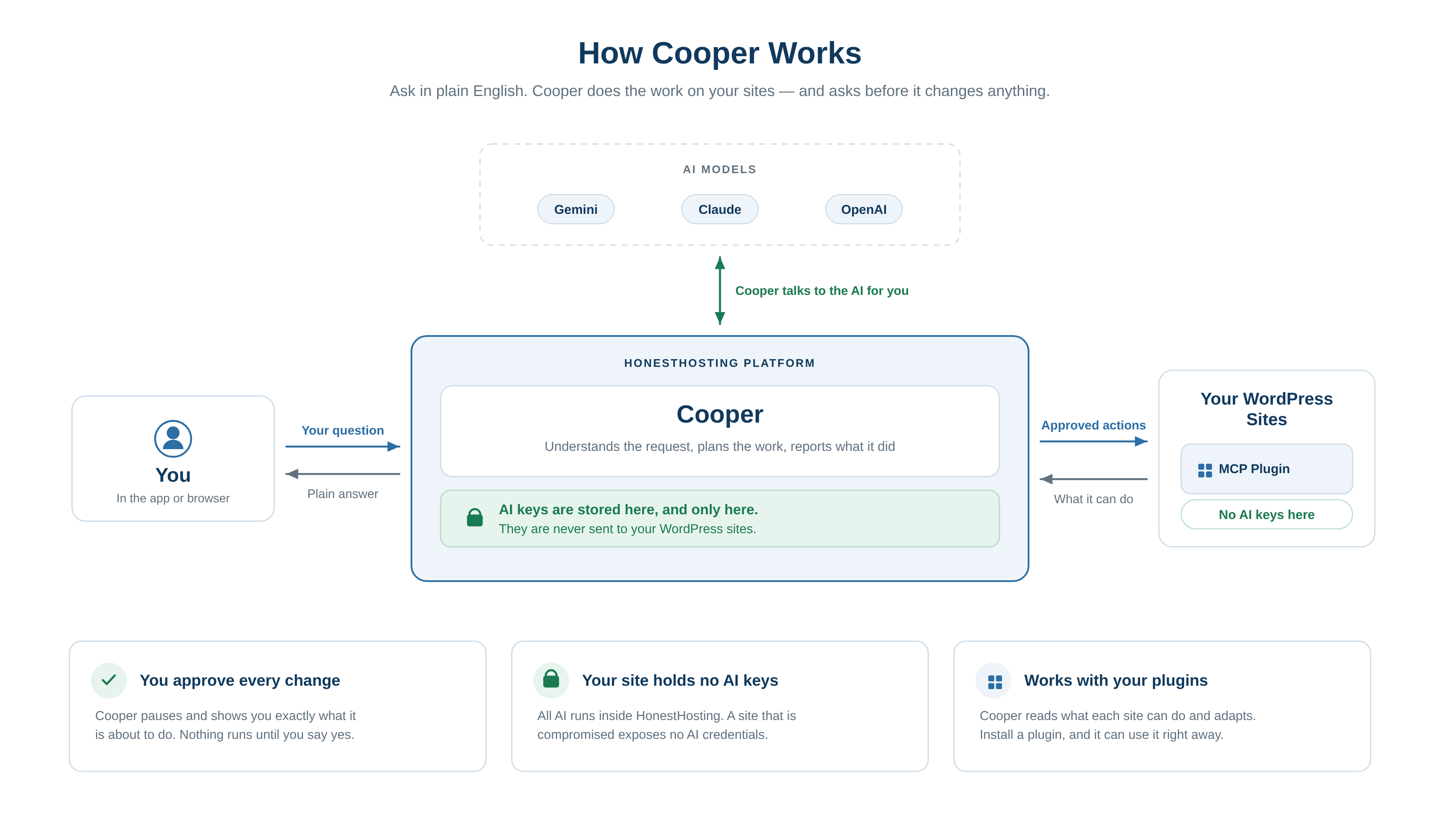
Cooper is HonestHosting’s AI assistant. It isn’t a chat window bolted onto the control panel — Cooper works
inside your account and inside your WordPress sites, through the same APIs you use, and it does the work rather
than telling you how to do it yourself.
Cooper is modelled on an experienced platform engineer: calm, direct, and honest about what it does and doesn’t know. That personality stays the same regardless of which model is running behind it.
What Cooper can do
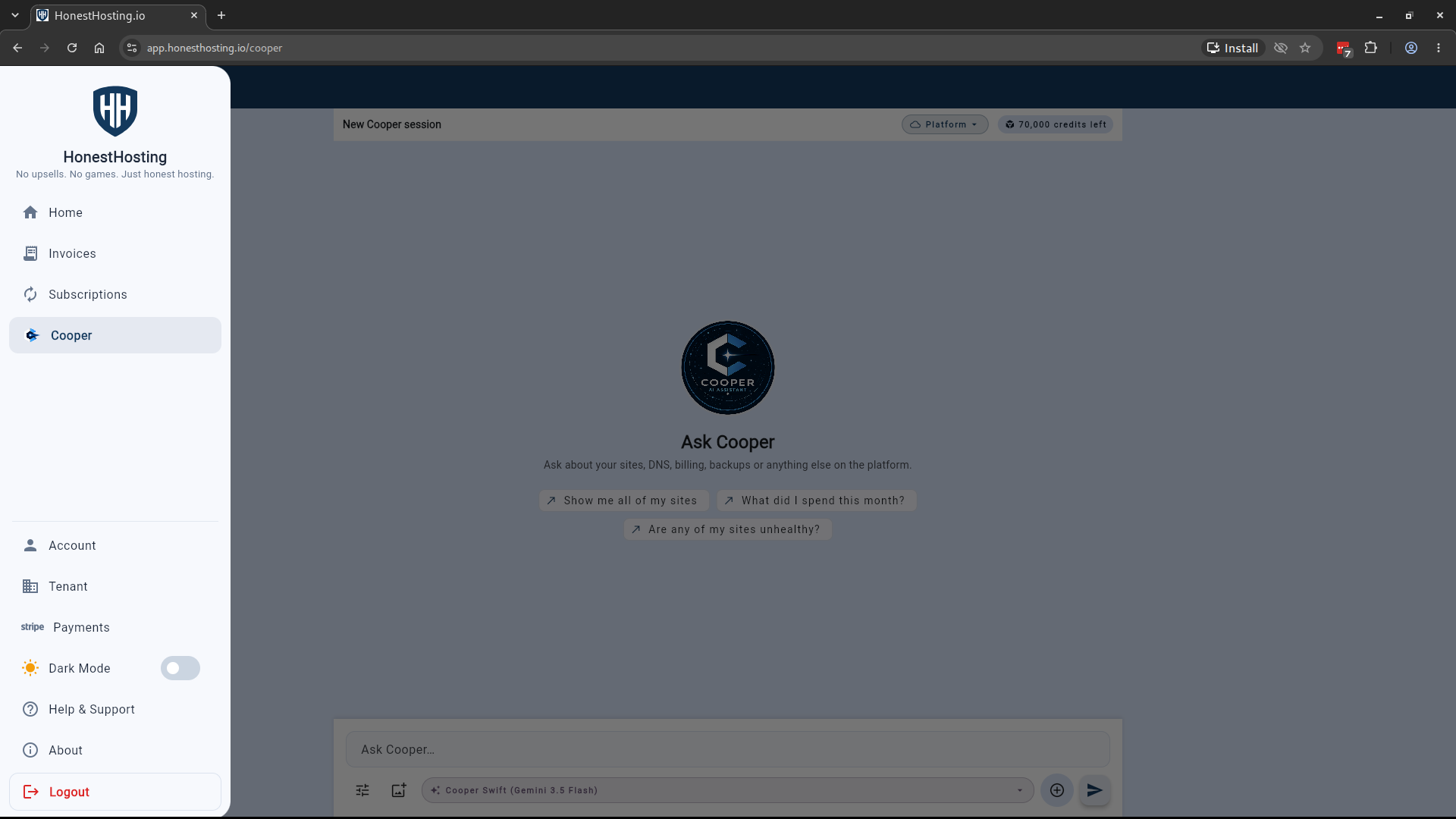
Cooper works in one of two contexts, and you can switch between them at any time:
- Platform — your account as a whole: sites, DNS, backups, metrics, security, CDN, and billing.
- Site — a single WordPress site (
6.8.0or newer): posts, pages, plugins, themes, users, media, settings, theme and plugin files, permalinks, cron, caches, and core updates.
In a Site context, Cooper discovers what it can do by reading that site’s own abilities-api registrations and
exposing them as MCP tools. There is no hardcoded list — install a plugin that registers abilities and Cooper can
use them immediately, and no LLM keys are ever exposed to the site itself.
Cooper asks before it changes anything
Every action is classified as Read only, Changes settings, or Removes data, and anything that changes your
site pauses for your approval before it runs. Approvals, declines, and outcomes are all recorded.
You can adjust how much Cooper may do on its own, per conversation:
- Ask before changes (default) — Cooper asks before changing anything.
- Accept edits — ordinary edits to files, content, and settings proceed; deletions and plugin or theme installs still ask.
- Accept everything — nothing asks.
Relaxed permissions apply to the current conversation only, expire on their own, and reset whenever you switch context. File changes Cooper makes are snapshotted, so they can be undone.
Credits, not tokens
Cooper bills in AI Credits — a single, provider-agnostic unit, so what you pay doesn’t shift when the underlying model does. Every account starts with some free credits; you can buy more one-time or subscribe monthly. The chat shows what the current conversation has cost, and your account shows the remaining balance.
Long conversations
Each conversation has a context gauge showing how full it is. As it fills, Cooper condenses the earlier part into
a summary and keeps recent messages as they are — you can also do this deliberately with Compact now rather
than waiting for it to happen mid-request. Compaction is marked in the transcript, so you always know when it
happened.
The sections below cover starting a chat session and switching between contexts, purchasing credits, and sharing feedback with the team.
- New Chat — Start a conversation, switch between the
Platformcontext and a WordPressSitecontext, choose a model, and summarize a previous conversation. - Payments — Purchase additional AI Credits through Stripe Checkout when your balance runs low.
- Tips & Tricks — Share feedback, request enhancements, or join the Discord community.